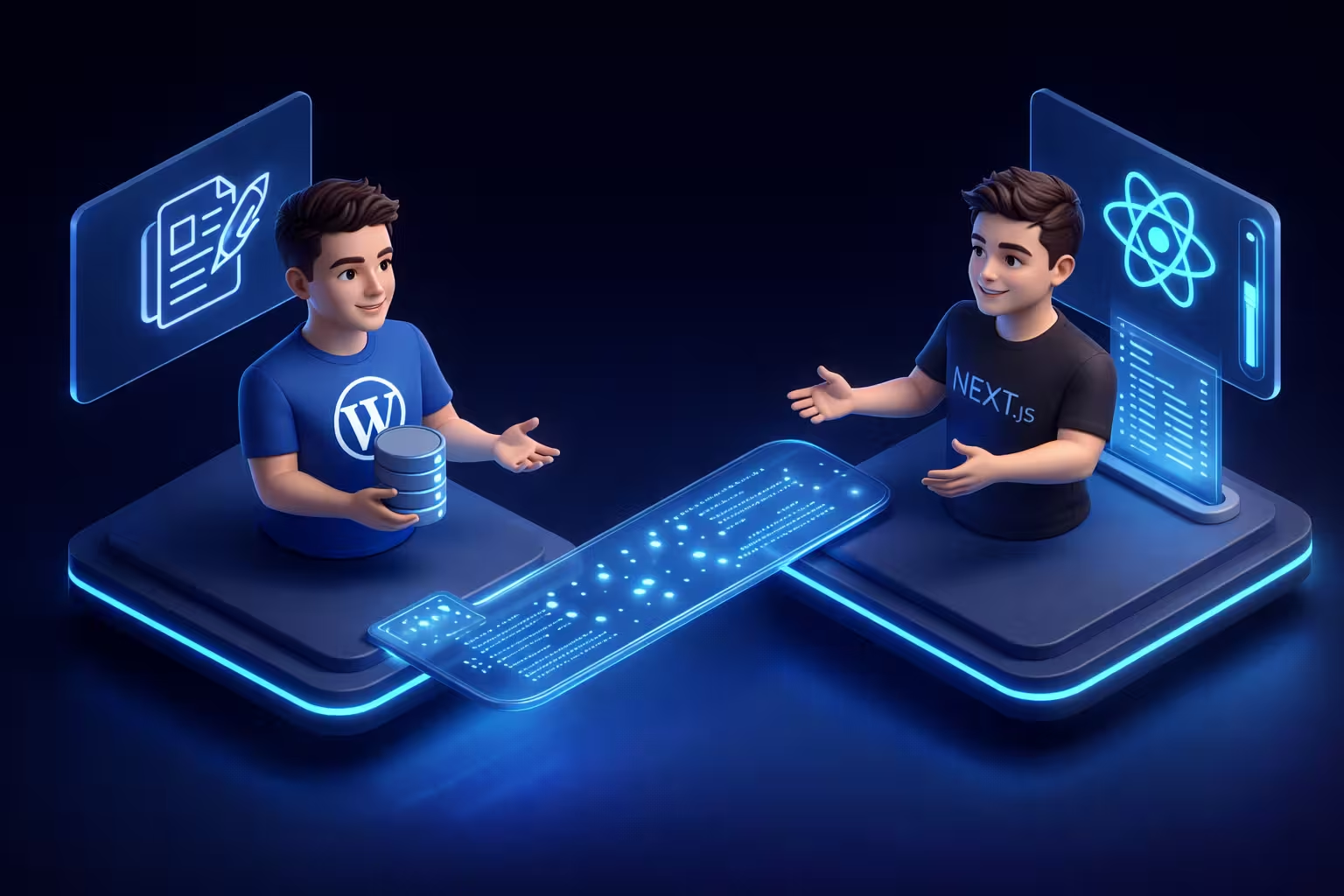
The Breaking Point: Why Monolithic WordPress Fails at Enterprise Scale
Monolithic WordPress architectures bind the frontend presentation layer directly to the backend database and PHP processing engine, creating a severe bottleneck during high-traffic events. Every user request forces the server to execute PHP scripts, query the MySQL database, and render HTML synchronously. This tightly coupled structure inherently limits horizontal scaling and drastically degrades Core Web Vitals as the database expands and concurrent requests multiply.
I once watched a high-profile media publisher’s database crash completely during a major breaking news event simply because an inefficient WP_Query locked up the wp_postmeta table under the weight of 50,000 concurrent users. When evaluating advanced WordPress enterprise architecture, relying on traditional monolithic setups for high-concurrency environments is a massive liability that caching alone cannot fix.
Throwing more server resources at a monolithic WordPress site is like putting a V8 engine in a horse-drawn carriage, you are burning cash without fixing the underlying structural flaw. Standard WordPress caching layers, even heavily optimized setups utilizing Redis Object Cache Pro v2.2.x, eventually break down when dealing with highly dynamic, personalized content at scale. This is exactly where a calculated enterprise WordPress to Next.js migration strategy becomes the only viable path to true zero-latency performance and absolute infrastructure resilience.
How does a monolithic architecture choke under high concurrency?
To understand the failure point, look at the traditional WordPress rendering lifecycle. In a monolithic versus decoupled CMS comparison, the monolithic system forces every single visitor into a single-file line waiting for the server to assemble their webpage from scratch. If your MySQL database (running on MariaDB 11.2, for instance) is bogged down by unindexed queries from poorly coded third-party plugins, the entire frontend freezes. For a CEO, think of it as a massive retail warehouse having only one checkout lane; it does not matter how much inventory you hold if the transaction process is a physical bottleneck.
When concurrent traffic spikes, your server’s PHP-FPM workers become fully saturated. Each worker consumes server memory, and once the maximum worker limit is reached, subsequent visitor requests are queued or dropped entirely, resulting in the dreaded 502 Bad Gateway error. Even with aggressive full-page caching via Varnish or Nginx FastCGI, any cache miss, such as a user logging in, interacting with a paywall, or triggering a custom API, bypasses the static cache and slams the origin database. In an enterprise context, this synchronous dependency between the frontend user and the backend database is architectural poison.
The headless methodology solves this by physically severing the head (the frontend presentation) from the body (the WordPress backend backend). By migrating the frontend, WordPress is relegated to its strongest capability: acting purely as a robust content repository. The PHP engine no longer wastes CPU cycles rendering DOM elements or compiling themes. Instead, the backend securely exposes raw data, while a globally distributed infrastructure handles the frontend delivery asynchronously, completely neutralizing the traditional monolithic bottleneck.
Next.js App Router Architecture: The Engineering Paradigm Shift
Next.js App Router, introduced in version 13 and highly optimized in versions 14 and 15, represents a fundamental re-engineering of how React applications handle routing, data fetching, and rendering by establishing React Server Components (RSC) as the default baseline. Unlike the legacy Pages Router which fetched data exclusively at the route level, the App Router Architecture allows engineers to fetch data securely and asynchronously within deeply nested individual components directly on the server, completely eliminating client-side layout shifts and drastically reducing JavaScript payload sizes.
When my team architects a decoupled enterprise system today, we completely bypass the legacy routing methods. I will state this bluntly: relying on the old Pages Router for a new headless build this year is technical suicide for enterprise projects. It is the equivalent of constructing a state-of-the-art manufacturing plant but installing a decade-old conveyor belt system. The App Router natively supports nested layouts and streaming. This means we can render a complex UI, like a dense B2B client portal’s navigation and sidebar, instantly, while concurrently streaming the heavier, dynamic WordPress content payloads into the main viewport exactly as they resolve on the server.
I frequently audit monolithic setups where standard, bloated WordPress themes force the browser to download and parse 2MB of unoptimized JavaScript just to display a text-heavy article. By shifting to the App Router paradigm, we strip that client-side execution down to nearly zero. The Node.js server handles the heavy lifting of securely parsing the GraphQL payload from the hidden WordPress backend, compiling the DOM tree, and shipping pure HTML. Only the micro-interactive elements are sent as JavaScript to the browser.
React Server Components (RSC) vs Client Components in a WordPress Context
In a traditional React or Next.js Pages Router application, data fetching often required shipping large JavaScript bundles to the client to hydrate the page, causing a delayed Time to Interactive (TTI) and penalizing Core Web Vitals. React Server Components completely invert this model. In a headless WordPress context, an RSC fetches data from your WordPress API securely on the edge or Node.js server. This means your WordPress backend API endpoints, secret keys, and database queries are completely invisible and inaccessible to the user’s browser, instantly neutralizing massive security vectors.
Client Components, in contrast, are strategically reserved strictly for client-side interactivity. If you have a 3,000-word technical article fetched from WordPress, the article body, the featured image, and the author metadata are rendered entirely as Server Components. You only inject a Client Component (via the "use client" directive at the top of the file) for isolated interactive modules, such as a dynamic algorithmic search bar, a real-time lead capture form, or a complex data visualization chart.
For a CEO or Engineering Director, think of React Server Components as a highly secure, automated back-office that pre-assembles a bespoke product before the customer even walks into the showroom. The customer (the browser) receives the finished product instantly without having to wait for the assembly line. This granular control over server-side versus client-side execution is the exact engineering mechanism that allows a headless Next.js frontend to consistently achieve perfect Lighthouse performance scores while orchestrating massive datasets from a decoupled WordPress backend.
Architecture Data Flow Comparison
Monolithic Bottleneck vs. Decoupled Next.js App Router
Establishing the Data Bridge with WPGraphQL and Apollo
Establishing a high-performance data bridge between a decoupled WordPress backend and a Next.js frontend requires abandoning traditional REST endpoints in favor of WPGraphQL. WPGraphQL transforms the WordPress database into an intelligent, strongly typed GraphQL schema, allowing Next.js to request precisely the data it needs, no more, no less, in a single network request. When this declarative approach is paired with the advanced caching mechanics outlined in the official Apollo Client documentation, developers gain native state management, automated query batching, and an absolute reduction in backend compute overhead.
I once audited a B2B SaaS portal where the standard REST API payload for a simple author directory exceeded 6MB of raw JSON simply because the system blindly returned every meta field, revision history, and unfiltered comment data associated with the user. That is not engineering; that is data negligence. By implementing WPGraphQL v1.14+ combined with Apollo Client v3.8, my team routinely reduces data transfer payloads by up to 95%. This drastically lowers AWS egress costs and ensures instant data resolution on the Next.js server.
Why is the WordPress REST API dead for enterprise data fetching?
The WordPress REST API is considered dead for enterprise data fetching because it suffers from severe over-fetching and under-fetching, requiring multiple synchronous round-trip HTTP requests to assemble a single complex page structure. For example, rendering a standard blog post with its specific author data, category terms, and featured image using REST requires at least four separate API calls, heavily degrading server response times and compounding network latency.
Standard REST endpoints force your server to dump the entire contents of a database row, regardless of what the frontend actually utilizes. If a CEO’s dashboard only needs a post title and a permalink for a “Recent News” widget, the REST API still forces the PHP worker to compute and deliver the full post content, HTML-formatted excerpts, and complex metadata. This is a massive, unnecessary waste of CPU cycles on your MariaDB database.
WPGraphQL solves this structural flaw via surgical data fetching. Instead of hitting multiple bloated endpoints, you query a single /graphql endpoint. Here is an exact, highly optimized Apollo GraphQL query we deploy in production to fetch post grids without melting the origin server:
/**
 * Enterprise LudicrousDB Topology Configuration
 * Define the Global Dataset (Network Tables)
 */
$wpdb->add_database( array(
    'host'     => '10.132.0.10',     // Primary Global Master
    'user'     => 'db_global_user',
    'password' => 'SECURE_VAULT_KEY_1',
    'name'     => 'wp_global_network',
    'write'    => 1,                 // 1 = Master (Write privileges)
    'read'     => 1,                 // 1 = Read privileges
    'dataset'  => 'global',
    'timeout'  => 0.2,               // Strict 200ms timeout to prevent hanging
) );

/**
 * Define Dataset Routing for Global Tables
 */
$wpdb->add_callback( 'my_enterprise_global_router' );
function my_enterprise_global_router( $query, $wpdb ) {
    $global_tables = array( 'users', 'usermeta', 'blogs', 'site', 'sitemeta', 'signups' );
    if ( in_array( $wpdb->table, $global_tables ) ) {
        return 'global';
    }
}

/**
 * Route Specific Site IDs to Shard A
Notice how this query explicitly demands only the specific node properties, like databaseId, uri, and a pre-rendered MEDIUM_LARGE image size, ignoring the heavy content block completely. Apollo Client intercepts this response and stores it in a normalized, in-memory cache. If the user navigates back to this data grid, Apollo serves the payload instantly from the local cache without ever hitting the Next.js edge router or the WordPress origin server again. This precise data orchestration is the exact mechanism required to scale a headless application to millions of monthly page views while keeping your database CPU utilization practically at zero.
Incremental Static Regeneration (ISR) in a headless WordPress architecture allows the Next.js frontend to update static pages dynamically in the background without requiring a full site rebuild. When an editor updates a post in the WordPress backend, a webhook fires a payload to a Next.js API route, instructing the server to purge the cache and regenerate only that specific URL. This guarantees that end-users receive instant, static-speed page loads while the origin MySQL database experiences absolutely zero traffic spikes.
I frequently audit headless setups where development teams completely botch the caching layer. They typically make one of two amateur mistakes: they either fall back to standard Server-Side Rendering (SSR), which brutally slams the WordPress database on every single page load, or they rely on outdated Time-Based Revalidation (e.g., revalidate: 60). The latter means if a publisher breaks a critical news story or updates a pricing tier, users are forced to look at stale content until the 60-second timer expires. For an enterprise B2B platform, both approaches are unacceptable.
For a CEO, think of traditional static site generation like printing a massive 10,000-page product catalog. If one product price changes, the traditional method forces you to reprint the entire book, a massive waste of resources. ISR is the equivalent of a digital smart-catalog where you can instantly hot-swap a single price tag in milliseconds, leaving the other 9,999 pages completely untouched.
Cache Invalidation Strategies That Don’t Destroy Your Origin Server
Relying on time-based caching in 2026 is a fundamental failure of system design. On-demand ISR via secure webhooks is the only acceptable standard for scaling enterprise content. To execute this, my team completely bypasses default WordPress behavior. We configure specific triggers in WordPress, often leveraging WPGraphQL Smart Cache v2.x or a highly customized mu-plugin, to listen for the save_post or transition_post_status hooks.
When an editor hits “Update”, WordPress does not clear a massive server cache. Instead, it fires a lightweight, asynchronous HTTP POST request directly to a protected Next.js API route (e.g., /api/revalidate). This payload contains only the necessary metadata: the post_id, the slug, and an HMAC cryptographic signature.
Security here is non-negotiable. If you expose your Next.js revalidation endpoint without strict token verification, malicious actors can spam that endpoint, forcing your Vercel or Node.js server to continuously rebuild pages, essentially creating an expensive Layer 7 DDoS attack. Once the Next.js server verifies the x-webhook-signature using a heavily guarded environment variable, it executes the revalidateTag() or revalidatePath() function. Next.js fetches the single updated node from WordPress via GraphQL, recompiles the HTML for that specific route, and pushes it to the Edge CDN. The origin server handles a single isolated query, and the global cache is updated seamlessly.
Dominating Core Web Vitals and Headless SEO Routing
Achieving perfect Core Web Vitals in a monolithic WordPress environment is often a losing battle against bloated DOM structures, massive CSS payloads, and synchronous third-party scripts. When my team migrates an enterprise platform to a headless Next.js architecture, we completely bypass the traditional frontend rendering engine. If your engineering team has previously exhausted resources on complex Elementor DOM reduction strategies just to appease Google’s Lighthouse metrics, a Next.js App Router migration solves this problem through absolute eradication. The Next.js server compiles a mathematically minimal, perfectly structured HTML document. This physical decoupling guarantees a Time to First Byte (TTFB) in the low milliseconds and completely eliminates Cumulative Layout Shift (CLS), inherently boosting your organic search visibility without writing a single line of frontend hack-code.
A common misconception among marketing executives is that migrating away from the WordPress frontend means losing the power of industry-standard SEO plugins. In reality, a headless architecture gives you granular, programmatic control over every single meta tag and schema node, provided you establish the correct data pipeline between your CMS and your Next.js router.
How do you handle dynamic XML sitemaps and Yoast metadata in Next.js?
Handling dynamic XML sitemaps and SEO metadata in a decoupled environment requires extracting the raw SEO data from WordPress via GraphQL and rendering it natively utilizing the Next.js generateMetadata API. In a headless architecture, plugins like Yoast SEO or Rank Math no longer output HTML meta tags directly to the browser. Instead, we utilize specialized integrations, such as WPGraphQL for Yoast SEO, to expose this data as a structured JSON payload. The Next.js server intercepts this payload, maps the canonical URLs, Open Graph images, and JSON-LD schema markup, and injects them server-side before the page ever reaches the client or Googlebot.
Managing XML sitemaps requires a similarly calculated approach. I frequently audit post-migration disasters where organic traffic plummets overnight simply because the engineering team left the default WordPress sitemaps active. If you do this, your sitemaps will point search engines to your hidden backend API (e.g., api.enterprise-domain.com/article-name) instead of your actual Next.js frontend (enterprise-domain.com/article-name), resulting in massive 404 errors and de-indexing.
To execute this correctly, we never rely on the origin server for sitemap generation. My team builds custom Next.js route handlers (specifically within app/sitemap.xml/route.ts) that securely query the WordPress database for all published URIs. The Node.js server intercepts these URIs, forcefully rewrites the base domains to match the frontend application, and generates a dynamic, paginated XML file. We then cache this XML output at the Edge CDN. This guarantees that Googlebot is fed a mathematically accurate, lightning-fast map of your frontend architecture, maintaining absolute topical authority and ensuring instant indexing of new content without putting any load on your WordPress database.
CI/CD Pipelines for Decoupled Environments
Managing a decoupled environment requires physically severing your continuous integration and continuous deployment (CI/CD) pipelines into two distinct, autonomous streams: one for the WordPress backend infrastructure and another for the Next.js frontend application. This architectural split guarantees that a catastrophic failure during a frontend deployment, such as a broken React Server Component or a failed NPM package installation, cannot take down your mission-critical backend database or API endpoints. For enterprise engineering teams, establishing a robust Enterprise WordPress CI/CD pipeline in a headless context is no longer just about pushing PHP code to a monolithic server; it is about orchestrating synchronized, zero-downtime deployments across entirely different hosting and execution ecosystems.
In my experience auditing headless setups, the most common operational bottleneck occurs when teams try to force a legacy monolithic deployment strategy onto a decoupled system. I once saw an entire enterprise release cycle grind to a halt because a development team linked their Next.js build process directly to their WordPress Git repository. A minor CSS update in the frontend accidentally triggered a full database migration script on the production backend, locking up the MySQL tables for an hour.
For a CEO, think of this like trying to update the paint job on a fleet of delivery trucks and accidentally forcing the mechanics to rebuild all the engine blocks at the exact same time. It is highly inefficient and extremely dangerous. The WordPress backend must be treated exclusively as an isolated, headless API service, deployed via strict GitHub Actions to a specialized WordPress environment. Meanwhile, the Next.js frontend repository lives entirely on its own, deploying independently to a dedicated Node.js or Edge network. The only bridge between these two isolated CI/CD pipelines is the strict management of encrypted environment variables, ensuring the staging frontend only ever communicates with the staging WordPress database.
Vercel vs AWS Amplify for Next.js App Router deployment
When deploying a Next.js App Router application, the infrastructure choice directly dictates your Core Web Vitals ceiling and your engineering overhead. Vercel, as the creator and maintainer of Next.js, provides absolute zero-configuration support for advanced App Router features like native Incremental Static Regeneration (ISR), React Server Components (RSC), and Edge Middleware. The deployment pipeline is instantaneous and atomic: a standard git push to the production branch triggers an isolated build container, recompiles the static HTML based on your WordPress GraphQL schema, and hot-swaps the deployment globally across their edge network without dropping a single active user session.
AWS Amplify, while an undeniably robust platform for general cloud architecture, is often a severe bottleneck for Next.js App Router deployments specifically. I will state this bluntly: attempting to host a complex Next.js 14+ headless frontend on AWS Amplify today requires excessive custom configuration, fighting outdated build images, and manually patching routing rules just to get basic ISR webhooks functioning correctly. It is an unnecessary, heavy tax on your engineering resources.
Unless your enterprise has a strict, non-negotiable legal compliance mandate to keep every single byte of data natively inside a specific AWS Virtual Private Cloud (VPC), Vercel is the mathematically superior choice for frontend deployment speed, developer experience, and automated caching. It allows your engineering team to focus strictly on building high-conversion B2B portals and fetching data from WordPress, rather than wasting sprint cycles fighting basic serverless cold starts and misconfigured CloudFront distributions.
Calculating the Frontend Migration ROI: Speed, Security, and Server Costs
Transitioning an enterprise WordPress platform to a headless Next.js architecture fundamentally alters the financial equation of your infrastructure. Instead of perpetually scaling expensive monolithic servers to handle frontend traffic spikes, you offload 99% of the computational burden to a globally distributed edge network. The WordPress origin server, typically hosted on massive AWS EC2 or Google Cloud Compute Engine instances, is strictly relegated to background API tasks. This physical separation instantly slashes your monthly cloud computing expenditure. Standard WordPress security is a joke if you are not physically isolating the application layer from the public internet and utilizing hardware keys for backend access. By converting WordPress into a closed, headless CMS accessible only via secure API tokens from your Node.js server, you neutralize massive security vectors, including brute-force login attempts and frontend plugin vulnerabilities. The backend becomes practically invisible.
I frequently encounter CTOs burning tens of thousands of dollars annually on enterprise-grade Web Application Firewalls (WAF) and massive dedicated database clusters just to keep a bloated monolithic site online during peak traffic. Once we execute a headless migration, that backend traffic drops to near zero. We routinely downgrade their origin server infrastructure by 70% or more because the Next.js edge network serves pre-compiled HTML directly to the user. You are no longer paying for redundant PHP execution; you are only paying for raw data storage and occasional GraphQL queries.
What is the actual cost reduction of dropping heavy caching plugins?
Dropping heavy caching plugins in a headless Next.js migration typically reduces origin server compute costs by 60% to 80% while simultaneously eliminating expensive enterprise caching software licenses. Traditional WordPress caching solutions, such as Redis Object Cache Pro or premium CDN add-ons, require constant CPU cycles to invalidate and rebuild dynamic pages synchronously. In a Next.js App Router architecture, the Vercel edge network natively handles content distribution via Incremental Static Regeneration (ISR) at no additional compute cost to your origin server, effectively rendering traditional WordPress caching layers obsolete and heavily inflating your infrastructure ROI.
The financial impact of a decoupled architecture extends far beyond immediate server savings. The absolute dominance over Core Web Vitals directly correlates to higher conversion rates and decreased customer acquisition costs (CAC). When your B2B portal loads in 40 milliseconds globally, user abandonment drops, and organic search visibility increases natively.
Infrastructure & ROI Impact Comparison
Strategic Next Steps for Engineering Leads
Stop trying to optimize your legacy monolithic theme. Throwing more Redis clusters at a structurally flawed frontend will not solve your database concurrency limits. The first operational step your engineering team must take tomorrow morning is a brutal audit of your WordPress database structure and API readiness. If your current platform relies heavily on outdated page builders that inject proprietary shortcodes or massive serialized arrays directly into the wp_posts table, a direct headless data query will fail. You need an immediate data sanitization phase. When I onboard a new enterprise contract, I force the engineering leads to install WPGraphQL v1.14+ on a staging environment and run rigorous query profiling before anyone is allowed to write a single line of React code. You must understand exactly what your data payload looks like before you try to fetch it.
Do not attempt a “big-bang” deployment where you try to migrate 100,000 posts, complex paywalls, and user portals overnight. In my experience, migrating everything at once is a guaranteed recipe for a catastrophic, high-visibility rollback. Instead, execute a controlled Proof of Concept (PoC) by decoupling a low-risk, high-traffic vertical first, such as your corporate newsroom or resource center. You can utilize Next.js Edge Middleware to seamlessly route requests for /insights to your new Vercel-hosted application, while the rest of the main domain still safely resolves to the legacy WordPress server. This precise micro-frontend approach allows your developers to validate the GraphQL data bridge, load-test the ISR webhooks, and prove the 40ms TTFB ROI to your C-Suite using actual production traffic.
Transitioning an enterprise platform to a decoupled architecture requires a disciplined engineering roadmap, not a casual plugin configuration. If your infrastructure is currently buckling under concurrent traffic and you are ready to physically sever your presentation layer from your backend database, my team executes a bespoke WordPress to Next.js migration framework designed exclusively for high-availability environments. We architect and manage the entire headless development lifecycle, from building custom WPGraphQL schema extensions to orchestrating automated Vercel CI/CD pipelines, guaranteeing absolute zero-downtime and flawless Core Web Vitals from the moment you switch the DNS.
Enterprise Headless Migration FAQ
Can my marketing team still use WordPress plugins like Yoast and ACF in a Next.js architecture?
Will a headless Next.js migration destroy my existing SEO rankings?
How does the editorial workflow change after moving to a decoupled frontend?
wp-admin dashboard, draft content in the Gutenberg editor, and hit “Publish.” The only operational difference is that instead of a slow PHP rendering process, an automated ISR webhook silently triggers the Vercel edge network to recompile that specific URL in milliseconds.Is maintaining a decoupled Next.js infrastructure more expensive than monolithic WordPress?

Initiate Secure Comms
Join elite B2B founders receiving my private WordPress architecture blueprints directly to their inbox. No spam, pure engineering.