The Delusion of WebView: Why Enterprises Need True Native Apps
Let’s get straight to the uncomfortable truth: if your agency sold you an “app” that merely loads your responsive WordPress site inside a mobile frame, you bought a lie.
Standard WordPress web wrappers are a glorified browser tab pretending to be an application. If you are not rendering native UI components, you are actively degrading your brand’s UX and burning server resources.
I’ve seen countless trends come and go. But the WebView shortcut is the one that consistently damages enterprise ROI the most. When my 14-person team here in Jakarta audits underperforming mobile applications, we almost always find a bloated web wrapper masquerading as native software.
I once saw a high-traffic publisher’s database crash completely during a breaking news push notification. Why? Because 50,000 users opened a WebView app simultaneously. Instead of fetching a lightweight JSON payload via an API, the app forced the server to render the entire HTML document, including the heavy DOM tree, header, footer, and a dozen unoptimized plugin scripts, for every single device at the exact same time.
Honestly, I used to think WebViews were a “good enough” strategy for a quick MVP. I really did. But watching enterprise clients bleed users due to sluggish, unresponsive interfaces changed my mind completely.
What is the actual performance cost of using WordPress web wrappers?
The actual performance cost of a WordPress web wrapper includes a minimum 300-500ms rendering delay, excessive battery consumption from executing redundant frontend JavaScript on the mobile CPU, and a total inability to utilize the device’s native hardware acceleration. This architectural flaw forces the mobile device to parse heavy HTML DOM trees instead of compiling native UI widgets, resulting in dropped frames, UI thread blocking, and ultimately, high user churn rates.
When you rely on iOS WKWebView or Android’s WebView class to load a WordPress site, you are forcing the phone to do the heavy lifting of a desktop browser. It has to download your theme’s CSS, process your plugins’ JS assets, and render the DOM every time a user navigates to a new screen.
Wait, let me backtrack a bit. The problem isn’t just the rendering speed. Oh, I almost forgot the most critical failure point: offline functionality. A web wrapper is practically dead without a persistent 4G/5G connection. If the user’s connection drops for a microsecond while on a train, your app throws an ugly, generic browser error screen.
This was exactly the bottleneck I hit three years ago when architecting APEL (Aplikasi Pemenangan Eksekutif Legislatif). We needed real-time, offline-capable data entry for political volunteers in remote areas across Indonesia, from the dense streets of Medan to rural villages in Aceh. Wrapping a WordPress site was literally impossible for that use case. I had to pivot, diving deep into Flutter to build a bespoke system that communicates with a headless backend.
Transitioning away from the monolithic mindset is the foundational step in advanced WordPress enterprise development. You have to stop treating WordPress as a frontend rendering engine and start treating it purely as a robust, highly-extensible database. We extract the raw data, and we let native languages build the interface.
By ditching the web wrapper, you bypass the DOM entirely. But to do that, you need a secure, high-speed bridge to pull that raw data out of your server.
Decoupling the Monolith: Headless WordPress Architecture Explained
Let’s talk about severing the head. A traditional WordPress setup is a monolith: the database, the PHP logic, and the visual frontend (your theme) are fused together natively. When we talk about headless architecture, we are completely ripping the frontend rendering layer out of the equation.
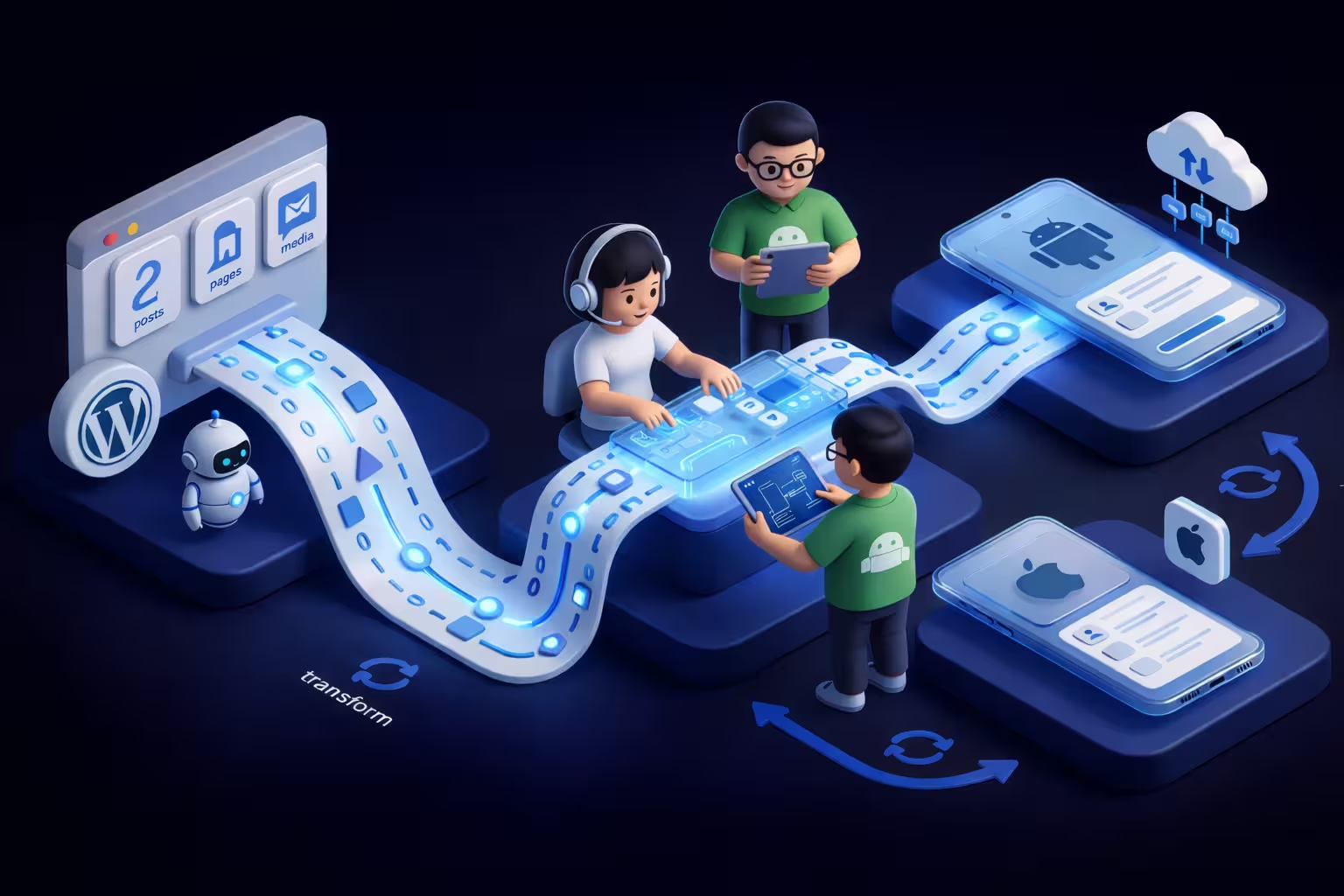
Think of a monolithic setup like a master chef who not only cooks the food but also walks out to the dining room to serve every single table, wiping down the counters along the way. It works fine for a small local cafe, but at enterprise scale, that chef collapses. A headless approach keeps the chef (WordPress and MySQL) strictly in the kitchen. The kitchen only outputs raw ingredients, pure data via a highly efficient conveyor belt (the API), and a dedicated team of waiters (React Native or Flutter apps) takes care of assembling the final presentation for the user on their device.
I’ve diagnosed massive publishing and e-commerce servers throwing 502 Bad Gateway errors simply because the WordPress PHP engine was choking on complex theme logic and heavy DOM generation during a sudden traffic spike. The backend was fine; the frontend rendering killed the server.
Jujur, saya belum yakin ini cara terbaik pada awalnya. When “Headless WordPress” first became a major industry buzzword around 2018, I doubted if the added infrastructure complexity and maintenance overhead were worth it for most clients. But as mobile usage completely eclipsed desktop, and after we deployed APEL handling thousands of concurrent read/write requests from volunteers in remote areas, it became obvious. Decoupling isn’t just a trend; it is the absolute baseline for survival if you want mobile speed.
How does WPGraphQL outperform standard REST API for mobile clients?
WPGraphQL outperforms the standard WordPress REST API for mobile clients by eliminating over-fetching and under-fetching of data, allowing the mobile application to request exact data structures in a single network call. While the REST API often requires multiple round trips to distinct endpoints to gather related data (e.g., fetching a post, then fetching its author, then fetching its featured image), WPGraphQL delivers all nested relational data within one unified JSON response, drastically reducing network latency and payload size.
If you are building a native app, relying on the default /wp-json/ REST endpoints is a massive architectural misstep. Let’s say your mobile app needs to display a simple list of news articles. The REST API forces your app to download the entire post object, including the full HTML content, the excerpt, and dozens of hidden meta fields you don’t even need for a list view. That is wasted bandwidth. And on a spotty 3G connection, wasted bandwidth equals a frozen app and an uninstalled application.
Instead, my team deploys WPGraphQL (specifically leaning on stable v1.19.x builds for production). With GraphQL, your Flutter or React Native app dictates exactly what it wants. You write a query asking only for the title and the featuredImage URL. The server responds with exactly that. Nothing more, nothing less.
Oh iya, hampir lupa… standard REST API also suffers heavily from the N+1 query problem by default when handling complex relational data. By utilizing the WPGraphQL schema resolution layer, we push the heavy lifting to the server’s database logic, keeping the mobile client incredibly lightweight, fast, and responsive regardless of the device’s CPU power.
React Native vs Flutter: Selecting the Right Engine for Your App
Now that we have successfully isolated the WordPress database behind a GraphQL API, we face the critical engineering crossroads: how do we actually render this raw data on a mobile screen? The enterprise industry is largely split between two dominant cross-platform titans: React Native and Flutter.
When I audit this type of architecture, I frequently find enterprise IT directors defaulting to React Native simply because their web developers already know React JS. Is that a valid engineering reason to choose a mobile framework? Absolutely not. Choosing a mobile stack based solely on developer comfort rather than architectural fitness is exactly how you end up with sluggish, unmaintainable applications.
Honestly, I wasn’t sure this was the best approach when my team first decided to look at Flutter three years ago. Moving from the cozy, globally-adopted JavaScript ecosystem into Dart felt like a massive, unnecessary risk. But when we were tasked with building APEL (Aplikasi Pemenangan Eksekutif Legislatif), we hit a hard wall. Parsing massive, deeply nested JSON payloads from our WordPress endpoints caused noticeable UI thread stutter in React Native on mid-range Android devices, the exact devices our field volunteers were using across Indonesia. We rewrote the data-heavy views in Flutter, and the performance delta was staggering.
Which framework offers better ROI for translating custom Gutenberg data?
Flutter currently offers a superior Return on Investment (ROI) for enterprise apps handling complex WordPress data because its ahead-of-time (AOT) compiled architecture bypasses the JavaScript bridge entirely, allowing for zero-latency parsing of deeply nested JSON. By rendering UI components directly via its proprietary graphics engine, Flutter minimizes the CPU overhead required to map massive WordPress REST or GraphQL responses into native mobile views.
If your WordPress editorial team relies heavily on block-based editing, you are going to be dealing with highly complex data structures. To make block content work in a native app, you cannot just dump HTML; you must parse it into structured objects. When handling a highly nested custom Gutenberg blocks JSON payload, React Native traditionally has to serialize and deserialize this data across its asynchronous bridge to communicate with the native iOS or Android threads. In high-data environments, this bridge becomes a severe performance bottleneck.
Flutter compiles directly to ARM machine code. It doesn’t use OEM widgets; it draws its own UI using Flutter’s native Skia rendering engine (and increasingly, the new Impeller engine). Think of React Native as a brilliant executive giving complex orders through a slow translator, while Flutter is the executive speaking the local language directly to the factory floor.
Ah, almost forgot.. if your enterprise is already strictly maintaining a React-heavy stack for your web frontend (like a Next.js App Router setup) and you desperately need to share business logic or Redux slices, React Native 0.73+ with its new Fabric architecture does close this performance gap significantly. However, for pure pixel-perfect rendering speed of heavy, dynamic WordPress content, my team consistently leans toward Flutter.
Engine Decision Matrix: WP Headless Integration
Exposing Complex Data: WPGraphQL API Performance Optimization
Let’s get into the trenches. When my team in Jakarta is contracted to build an enterprise mobile app, we are almost never dealing with standard WordPress blog posts. We are wrestling with highly relational Custom Post Types (CPTs), dozens of Advanced Custom Fields (ACF Pro), and complex taxonomies.
If you try to pull all of that relational data using the standard WordPress REST API, you will inevitably hit the dreaded N+1 query problem. You fetch a list of 10 events (1 query), and then the REST API fires 10 separate database queries to get the featured images, and another 10 to get the author meta, and another 10 to get the ACF date fields. Suddenly, rendering a single mobile screen requires 31 separate MySQL operations.
That is exactly how servers melt down.
I have seen IT managers throw thousands of dollars at AWS trying to brute-force server performance, completely ignoring that the root cause is a poorly optimized data pipeline. Actually, when we were auditing a multisite architecture scaling issue for a massive media conglomerate last year, we realized that hardware isn’t the solution; schema resolution is.
How to query Custom Post Types and ACF fields efficiently without N+1 issues?
To query Custom Post Types and ACF fields efficiently without triggering N+1 issues, developers must utilize WPGraphQL combined with the DataLoader pattern, which batches and caches database requests within a single execution cycle. By declaring explicit GraphQL queries that ask only for the required CPT and ACF fields, the WPGraphQL engine resolves all relational data (like featured images or custom taxonomies) in memory and executes a single, highly optimized SQL operation under the hood, returning a unified JSON payload to the mobile client in one network trip.
To be completely transparent, GraphQL is a double-edged sword. It is not magic. If your developers don’t understand query depth limiting or how to use the WPGraphQL for ACF extension properly, they can accidentally write a nested query that brings your database to its knees even faster than REST.
You must be surgical with your data requests. In native mobile development (whether React Native or Flutter), every kilobyte of JSON parsed consumes mobile CPU cycles.
Look at this real-world query structure we use for fetching complex “Event” CPTs with ACF data. Notice how we use cursor-based pagination (first: 10, after: $cursor) instead of traditional offset pagination, which is a massive performance killer on large WordPress databases:
query GetEnterpriseEvents($cursor: String) {
events(first: 10, after: $cursor, where: {orderby: {field: DATE, order: DESC}}) {
pageInfo {
hasNextPage
endCursor
}
edges {
node {
id
databaseId
title
slug
eventDetails { # This is the ACF Field Group
eventDate
locationMap {
latitude
longitude
}
speakerProfile {
... on Speaker { # Resolving relational CPT
title
speakerMeta {
companyRole
}
}
}
}
featuredImage {
node {
sourceUrl(size: MEDIUM_LARGE)
}
}
}
}
}
}
One critical detail I almost glossed over: if you are running WPGraphQL in a high-traffic production environment, you must implement persistent query caching. We strictly use Redis Object Cache Pro combined with WPGraphQL Smart Cache. This setup stores the exact JSON response for this query in the server’s RAM. So, when the 10,000th mobile user opens the app, WordPress doesn’t even touch the MySQL database; Redis serves the cached JSON payload in under 20 milliseconds.
Bulletproof Security: Implementing JWT Authentication Protocols
Are WordPress application passwords safe for enterprise mobile apps?
WordPress application passwords are fundamentally unsafe for enterprise mobile apps because they act as static, perpetual credentials often tied directly to high-level user accounts. If a malicious actor intercepts or extracts an application password from the mobile bundle, they gain unrestricted, indefinite access to your REST or GraphQL endpoints. For true native apps, developers must implement JSON Web Tokens (JWT) to ensure authentication is stateless, cryptographically signed, and strictly time-limited.
Let me be blunt: standard WordPress API security is a joke if you are just passing Basic Auth headers over the network. I’ve seen some terrifying shortcuts. Just last year, my team was brought in to salvage a breached e-commerce application built by a cut-rate agency. I decompiled their React Native APK and found a base64-encoded WordPress application password hardcoded directly into the JavaScript bundle. Anyone with basic debugging tools could extract it. That kind of negligence is exactly what leads to catastrophic data leaks, and migrating to a proper JWT architecture is the absolute first step in preventing severe API security breaches.
With a JWT architecture, your Flutter or React Native application sends the user’s login credentials exactly once over a secure HTTPS connection. The WordPress server verifies the credentials and responds with two distinct tokens: a short-lived Access Token (typically valid for 15 to 30 minutes) and a securely rotating Refresh Token. The mobile application stores these tokens in the device’s hardware-backed encrypted enclave, using SecureStore in React Native or flutter_secure_storage in Dart, and passes the Access Token within the Authorization: Bearer <token> header for all subsequent data queries.
To be completely transparent, setting up JWT with refresh tokens alongside WPGraphQL is incredibly tedious. I used to hate configuring it. You have to handle CORS headers perfectly, manage token expiration logic on the client side without interrupting the user’s UI flow, and ensure your signing secrets in wp-config.php are rotation-ready. But the architectural tradeoff is worth it. Because JWTs are stateless, your WordPress MySQL database no longer has to look up and validate an active session for every single API call. The server merely verifies the cryptographic signature of the token mathematically.
Here is the exact GraphQL mutation structure we use to initiate that secure handshake and retrieve the JWT payload from a headless WordPress backend:
mutation LoginEnterpriseUser($username: String!, $password: String!) {
login(input: {
clientMutationId: "unique_mobile_device_id",
username: $username,
password: $password
}) {
authToken # Short-lived Bearer token for API access
refreshToken # Long-lived token for silent background renewal
user {
id
databaseId
name
roles {
nodes {
name # Crucial for mobile UI role-based access control
}
}
}
}
}
When I audit this type of architecture, I constantly remind developers: never trust the client. Even with JWT, the native application should only use the user’s role data to toggle UI visibility (like hiding an “Admin Dashboard” button). The actual authorization, verifying if user ID 45 can edit post ID 102, must still be rigorously enforced on the WordPress server side via graphql_register_types capabilities before any mutation is executed.
Handling the Network Gap: Offline-First Sync & App State Management
How do you manage local app state when the WordPress server goes offline?
To manage local app state when the WordPress server goes offline, enterprise mobile applications must implement an offline-first sync strategy utilizing local device databases like SQLite, Isar, or WatermelonDB to securely cache WPGraphQL JSON responses. When the network connection drops, the application state management tool (such as Redux for React Native or BLoC/Riverpod for Flutter) seamlessly intercepts the API failure and instantly serves the previously cached data from local storage, while queuing any user-generated data mutations for background synchronization once connectivity is restored.
I cannot stress this enough: your mobile app isn’t truly native if it turns into a useless, unresponsive white screen the moment a user steps into an elevator. In my two decades of engineering, failing to account for network volatility is the absolute number one reason I see high-budget enterprise apps get uninstalled within the first week of deployment.
Back when my team in Jakarta was architecting the APEL system, we faced an extreme version of this problem. We had political volunteers collecting sensitive voter data deep in rural Aceh, where 4G signals simply do not exist. We couldn’t just throw a generic “No Internet Connection” alert and tell them to wait. We had to build a robust offline-first sync strategy.
Honestly, building offline capabilities for a headless WordPress backend is a complete nightmare at first. I used to think simple local caching via AsyncStorage (in React Native) or shared_preferences (in Flutter) was enough to fake an offline mode. I was dead wrong. It absolutely isn’t. When dealing with complex relational data extracted from WordPress, simple key-value stores immediately buckle under the pressure of searching, filtering, and joining offline data.
You need a localized, high-performance database physically living on the user’s device. For our modern Flutter stacks, we strictly rely on Isar Database. The app state management acts as the central brain. If you are using Riverpod (which I heavily prefer nowadays), it constantly monitors the ConnectivityResult. If the network drops, Riverpod reroutes all data requests to the local Isar database. If the user submits a new form or edits a WordPress post while offline, Riverpod doesn’t panic. It simply saves that GraphQL mutation as a stringified payload into a dedicated “Offline Queue” table locally.
This is exactly why converting WordPress to a native mobile app is not a job for junior web developers playing with wrappers. The synchronization logic is what separates a cheap, fragile prototype from a resilient, enterprise-grade product. You must implement native background workers (like Workmanager in Android or BGTaskScheduler in iOS) that silently poll the network. The very second the device reconnects to a tower, the background worker wakes up, grabs the queued payloads, and executes the GraphQL mutations against your WordPress server to achieve eventual data consistency.
Oh yeah, almost forgot to warn you about the most dangerous edge case: conflict resolution. What happens if User A edits a custom post type on their phone while offline in a tunnel, but User B edits that exact same post from their desktop web browser? Who wins when User A finally reconnects? If you don’t engineer a timestamp-based versioning system or a “last-write-wins” protocol inside your WordPress backend logic, that delayed background sync will silently overwrite User B’s live data. You have to intercept offline mutations at the GraphQL resolver level and compare modification timestamps before committing them to the MySQL database.
Strategic Next Steps: Deploying Your WordPress to Native Mobile App
Stop treating your enterprise mobile strategy like an afterthought. If your IT department is still arguing about which WordPress caching plugin will make your WebView wrapper load faster, you have already lost the performance battle. The architecture we just mapped out, decoupling the monolith, exposing purely relational JSON via WPGraphQL, securing the transport layer with JWT, and rendering natively via Flutter or React Native, is the exact blueprint my 14-person team in Jakarta uses to rescue failing enterprise mobile platforms.
I can tell you definitively: the migration from a monolithic web platform to a headless native ecosystem is not a weekend project. It requires surgical precision.
If you are ready to execute this architecture and stop burning user goodwill on sluggish interfaces, here are the immediate, non-negotiable engineering phases your organization must initiate:
1. Audit and Sanitize Your WordPress Database Before you even think about touching Dart or JavaScript, you must clean house. We frequently inherit enterprise databases clogged with millions of obsolete postmeta rows from deleted plugins. You need to rigorously audit your Custom Post Types and map exactly which Advanced Custom Fields (ACF Pro) are actually required for the mobile UI. If a data point isn’t necessary for the mobile experience, do not expose it to the WPGraphQL schema. Every unused node in your graph is a waste of mobile CPU cycles.
2. Lock Down the API Layer and Implement Edge Caching Install WPGraphQL (we prefer stabilizing on v1.19.x) and the WPGraphQL for ACF extension, but do not leave the endpoint open to public introspection in a production environment. Configure WPGraphQL Smart Cache in tandem with Redis Object Cache Pro v2.x to handle read-heavy queries strictly from RAM. Immediately implement the JWT architecture we discussed. Disable standard XML-RPC and REST API application passwords entirely to drastically harden your attack surface against automated botnets.
3. Architect the Offline-First Sync Protocol Do not leave offline capabilities as a “Phase 2” feature. If you wait until the app is fully built to implement local storage like Isar Database or WatermelonDB, you will be forced to rewrite your entire state management layer. Your developers must architect the Riverpod (Flutter) or Redux (React Native) slices to intercept network failures seamlessly from day one. I learned this the hard way during the early days of building APEL in Banda Aceh; retrofitting offline sync into an existing data flow is ten times more expensive than building it natively from the start.
4. Establish a Native CI/CD Pipeline Honestly, I still get incredibly nervous when pushing a major v1.0 release to the App Store if the deployment pipeline isn’t fully automated. I constantly see enterprise agencies manually building Android APKs and iOS IPAs on their local laptops. That is a recipe for disaster. You must configure a robust CI/CD pipeline using GitHub Actions and Fastlane. Every time a developer merges code, your pipeline should automatically execute unit tests, compile the native code, and deploy to TestFlight and Google Play Internal Testing. This ensures your WordPress backend schema changes do not silently break the mobile client in production.
Are you ready to stop renting your mobile presence?
Transitioning a heavily customized monolithic WordPress site into a high-performance native application requires a highly specialized engineering unit. It is not just about writing interface code; it is about protecting your enterprise data integrity during a massive architectural shift. If your organization requires technical leadership to navigate this decoupling, or if you need an expert team to engineer the Flutter UI while your internal developers manage the WordPress core, it is time to escalate.
Let’s stop building fragile web views. Let’s engineer a true native experience.
Frequently Asked Questions: WordPress to Native Mobile App
How long does it take to migrate a WordPress monolith to a headless native app?
When my team in Jakarta was architecting APEL, the sheer volume of relational database restructuring alone took an entire month before we even wrote our first line of Flutter code. If a cut-rate agency promises you a fully functioning “app” in one or two weeks, run. They are absolutely selling you a WebView wrapper, not a native application.
Do standard WordPress plugins automatically work in a React Native or Flutter app?
However, backend data management plugins, such as Advanced Custom Fields (ACF Pro), WooCommerce, or custom taxonomy tools, will work perfectly. The caveat is that you must explicitly map and expose their specific database tables to your WPGraphQL schema. If the plugin’s data isn’t in the GraphQL graph, your mobile app cannot see it.
Will Apple’s App Store reject a mobile app built on top of WordPress?
This strict enforcement is exactly why decoupling the monolith using WPGraphQL is mandatory for enterprise brands. By rendering true native widgets directly via Flutter’s Skia engine or React Native’s Fabric architecture, your application behaves exactly like an app written in Swift or Kotlin, easily passing both Apple App Store and Google Play compliance reviews.
What is the safest way to transition my enterprise platform to a headless mobile architecture?
Jujur, managing JWT security pipelines, GraphQL schema resolution limits, and offline local state databases is a brutal learning curve for traditional PHP developers. If your internal IT team is overwhelmed by the infrastructure demands, you need architects who have actually survived these high-stakes deployments. If your organization is ready to stop burning money on sluggish wrappers and wants a bulletproof transition, you can explore our specialized engineering services for to guarantee a zero-downtime, high-performance migration.

Initiate Secure Comms
Join elite B2B founders receiving my private WordPress architecture blueprints directly to their inbox. No spam, pure engineering.