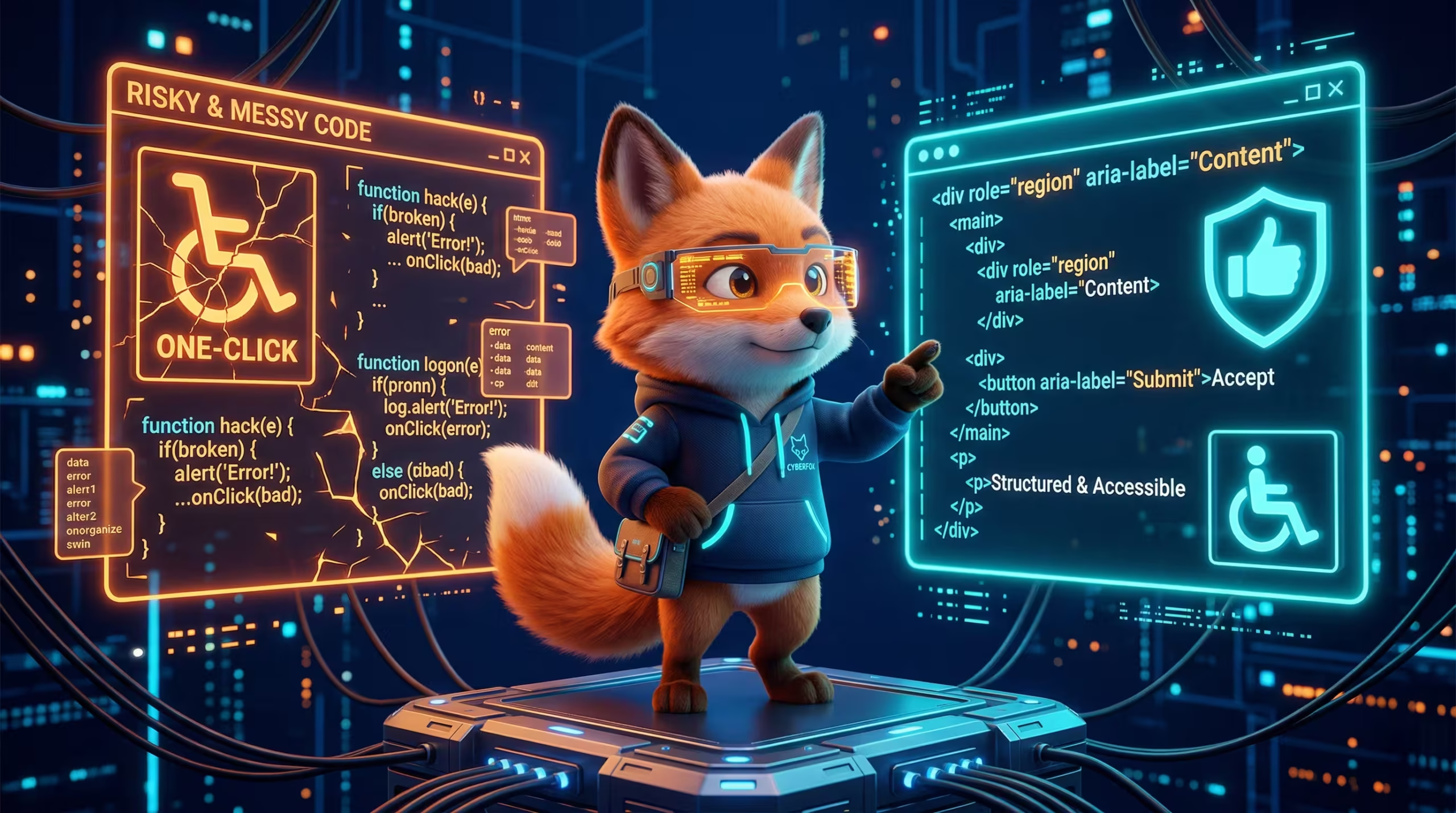
The False Promise of “One-Click” Accessibility Overlays
One-click accessibility overlays are automated JavaScript snippets injected into a website to dynamically alter its frontend interface, but they categorically fail to achieve WCAG 2.2 AA compliance because they cannot fix underlying source code violations. Legal precedents and data from recent ADA lawsuits prove that these widgets actually increase the risk of litigation by acting as a beacon for predatory law firms, masking critical DOM structure failures rather than resolving them.
You install a plugin and pay a recurring SaaS fee, suddenly a blue wheelchair icon appears in the corner of your screen. The vendor promises instant legal protection. This is a dangerous lie sold to executives who want a cheap shortcut. Real accessibility requires modifying the core architecture of your site. This is exactly why enterprise teams hire WordPress WCAG remediation specialists to rewrite broken HTML templates and fix keyboard navigation entrapments at the server level.
Slapping a JavaScript overlay on a poorly coded WordPress site is like putting a fresh coat of paint on a building with a collapsing foundation. The building inspector will still condemn the property. I recently audited a high-traffic B2B corporate portal running on WordPress 6.4. The agency before us installed a popular overlay widget to pass a strict client requirement. The widget completely broke the mobile menu navigation for screen reader users. It aggressively manipulated ARIA roles dynamically, conflicting directly with the native JavaScript of their active theme.
Oh, I almost forgot to mention the legal statistics. The data is absolutely staggering. According to the ADA Web Accessibility Lawsuit Report by UsableNet, litigation against websites utilizing overlay widgets has skyrocketed. Plaintiff attorneys actively use custom scripts to scrape the web specifically looking for sites running tools like accessiBe or AudioEye. Once they find that widget script in your header tag, they know your underlying code is most likely a mess. They send a demand letter the next day.
Why does this technical failure happen? When an overlay attempts to fix a contrast issue or a missing label tag on a Gravity Form, it does so after the browser has already parsed the DOM. It patches the accessibility tree on the fly. Screen readers like NVDA or JAWS rely on a stable and predictable document object model. When a third-party script constantly intercepts and rewrites the accessibility API bridge milliseconds before the user interacts with it, the resulting experience is complete chaos. The user hears fragmented sentences or gets trapped in an infinite loop inside a popup modal.
Let us look at how these plugins handle image semantics. A blind user relies on the alt attribute to understand visual context. AI-driven overlays use computer vision to auto-generate descriptions. They will scan an intricate infographic detailing your financial growth and inject an alt tag that says “image of text and shapes”. This is completely useless. It actively degrades the user experience while giving the site owner a false sense of security. True remediation means a developer manually writes descriptive and context-aware alternative text directly inside the WordPress database.
Architecture Comparison: JS Overlay vs. Native DOM
Technical Vulnerability AnalysisJS Overlay Widget
- Client-side manipulation causes severe Accessibility API latency.
- Fails to resolve deep-rooted HTML5 semantic errors in WordPress templates.
- Easily detectable by plaintiff lawyers via source code scraping.
Manual DOM Remediation
- Server-side code restructuring creates a stable, native Accessibility Tree.
- Permanent resolution of ARIA roles and keyboard entrapments in the theme.
- Bulletproof legal defense backed by actual WCAG 2.2 AA audit logs.
Why Screen Readers Hate JavaScript-Injected Widgets
Imagine hiring a live translator for a high-stakes corporate negotiation, but the translator waits for the speaker to finish, alters the meaning entirely, and shouts over the original audio track. The resulting communication is disjointed and unusable. This perfectly describes the user experience when popular screen readers like JAWS 2024 or NVDA encounter an accessibility overlay widget. The widget acts as a fundamentally broken bridge between your website and the browser accessibility API.
To understand this catastrophic failure, we must look at how browsers render web pages. When a visitor loads your site, the browser parses the raw HTML and constructs the Document Object Model. Simultaneously, it builds the Accessibility Tree. Assistive technologies rely entirely on this tree to relay information to a visually impaired user. When you use a third-party plugin, it injects asynchronous JavaScript that attempts to reconstruct this tree long after the initial page load.
This creates severe race conditions. A user relying on keyboard navigation might press the Tab key to skip to the main content. The widget script intercepts that keystroke, tries to calculate a new focus state dynamically, and forces the browser to re-render the DOM node. The screen reader loses its place completely. The user is thrown back to the top of the page. My team sees this exact loop happening constantly on complex enterprise setups. The automated tool simply cannot guess the intended document hierarchy if the underlying code lacks proper semantic structure. I have written about this more extensively in the article Semantic HTML5 and Microdata in Elementor: B2B Guide. Relying on a script to guess your heading hierarchy instead of coding it correctly is engineering malpractice.
Do Accessibility Plugins Actually Prevent ADA Lawsuits?
Accessibility plugins do not prevent ADA lawsuits because federal courts consistently rule that automated overlay widgets fail to provide equal access under WCAG 2.2 AA standards. Legal precedents demonstrate that relying on third-party JavaScript to mask core code vulnerabilities leaves the website owner fully liable for inaccessible digital infrastructure. Judges recognize that these tools do not fix the root cause of the barrier.
I will give you a brutal reality check. A B2B manufacturing client contacted us last year after receiving a devastating demand letter. They were paying $300 a month for a premium overlay widget, thinking it was an impenetrable shield. The plaintiff attorney simply recorded a video of a blind user attempting to checkout using NVDA. The widget’s automated form optimization feature completely wiped out the custom WooCommerce field labels. The user could not complete a purchase. The widget did not protect the company. It actively supplied the evidence for the lawsuit.
The only recognized defense in court is a manual audit log and a remediation roadmap proving your core codebase meets WCAG requirements. Plaintiff lawyers use automated scrapers specifically designed to hunt down websites running accessibility widgets. They view that little floating icon as an admission of guilt. If you have it installed, they know you have not invested in native code remediation. You are painting a massive target on your own back.
The Technical Reality of DOM-Level Accessibility Fixes
Real WCAG 2.2 AA compliance happens exclusively inside the Document Object Model. When we strip away the marketing graphics of accessibility plugins, the technical reality is that screen readers and keyboard navigation rely entirely on native HTML semantics, ARIA landmarks, and precise tabindex sequencing coded directly into your WordPress theme. You cannot hotwire accessibility from the outside. You have to rebuild the engine.
Think of your website’s DOM like the electrical wiring inside a commercial skyscraper. An accessibility overlay is like running thousands of extension cords across the hallways to power new servers because the internal wiring is completely fried. It looks like a rapid deployment, but it creates a massive operational hazard. Manual DOM remediation means tearing open the walls and upgrading the main breaker panel so the power flows natively.
My team recently audited an enterprise multisite network running Elementor 3.20. Their global header featured a complex mega menu that completely trapped keyboard users. Pressing the Tab key moved the focus into the dropdown navigation, but there was no coded exit path or escape key listener. The user was physically locked inside a loop of forty corporate links. No JavaScript widget could solve this focus entrapment because the widget script fired after the user was already stuck. We had to manually rewrite the header template, implement proper aria-expanded state toggles tied to native click events, and enforce a strict logical focus flow. We stripped out the nested <div> wrappers generated by the page builder and replaced them with standard <nav> and <button> elements.
Before we look at the raw markup, understand that search engine crawlers process your DOM almost identically to an accessibility screen reader. Both systems demand a clean, linear, and hierarchical document structure. When you fix the source code for visually impaired users by injecting semantic HTML5, you are simultaneously feeding Google a perfectly optimized data map of your enterprise content. This dual return on investment is exactly why manual remediation outlasts any temporary plugin subscription.
The most critical failures we find involve form inputs. Lead generation engines built with Gravity Forms or WPForms often suffer from missing label associations. A visual user sees the word “Email” next to a box and understands what to type. A screen reader sees an empty text input. Overlay plugins try to inject an aria-label using JavaScript milliseconds after the page loads. If the user’s connection is slow or the script is blocked by a firewall, the site remains inaccessible. True remediation requires a developer to alter the PHP template or form configuration so the <label for="email_input"> tag is permanently fused to the <input id="email_input"> directly from the server.
<!-- Div spans acting as buttons trap keyboard users -->
<div class="mega-menu-trigger" onclick="openMenu()">
<span>Servicesspan>
div>
<div class="dropdown-content" style="display:none;">
<a href="/consulting">Consultinga>
div><!-- Native button with ARIA states and proper navigation semantics -->
<nav aria-label="Primary Navigation">
<button aria-expanded="false" aria-controls="services-menu" id="btn-services">
Services
button>
<ul id="services-menu" role="menu" aria-labelledby="btn-services">
<li role="none"><a role="menuitem" href="/consulting">Consultinga>li>
ul>
nav>How Automated Checkers Miss 70% of WCAG 2.2 Violations
Automated accessibility checkers like Google Lighthouse, axe-core, and WAVE only detect 20% to 30% of total WCAG 2.2 AA violations because they rely strictly on programmatic rules and cannot evaluate subjective context, logical reading order, or dynamic DOM changes caused by JavaScript. Human manual testing is mandatory to uncover the remaining 70% of critical accessibility barriers that algorithmic scanners fundamentally ignore.
Running a Lighthouse scan and getting a perfect 100 accessibility score gives executives a very dangerous false sense of security. It is exactly like running a spellchecker on a complex legal contract. The spellchecker catches the typos, but it cannot tell you if the contract itself is legally binding or if the clauses make logical sense. My team frequently inherits enterprise WordPress builds that pass automated scans flawlessly but are entirely unusable for a disabled person trying to complete a transaction.
Automated tools excel at catching the lowest hanging fruit. They will flag missing alt attributes, highlight low contrast ratios in your CSS, and point out empty form labels. However, they fail spectacularly at evaluating complex user interactions. According to the official W3C Web Accessibility Initiative (WAI) guidelines on evaluating tools, automated scanners cannot determine if an alternative text actually describes an image accurately in its specific context. A bot only verifies if the attribute exists in the HTML, not if it makes sense to a human being.
Furthermore, bots cannot understand focus flow. They cannot tell if a custom JavaScript modal built in a page builder traps the keyboard focus or if the visual order of elements matches the DOM order. Untuk panduan teknis mengenai proses audit yang komprehensif, saya sudah menulis tentang ini lebih lengkap di dalam artikel WordPress Accessibility Audit (WCAG 2.2): Enterprise Guide. Relying purely on automated software is a direct path to litigation. You must have actual engineers testing the interface.
What Does a Manual Keyboard Navigation Audit Really Entail?
A manual keyboard navigation audit entails systematically traversing a website’s interactive elements using only the Tab, Shift+Tab, Enter, Space, and Arrow keys to identify focus state entrapments, verify the presence of functional skip links, and ensure the sequential navigation logic matches the visual layout perfectly.
As an aside, watching a real user try to navigate a poorly coded corporate site with only a keyboard is usually an eye-opening experience for stakeholders. When we conduct these audits, we physically unplug our mice and attempt to complete core business flows. We try to submit a B2B quote request, navigate a complex WooCommerce product variation, or download a gated whitepaper using only keystrokes.
During this process, we are looking for three specific architectural failures. First, we test focus visibility. If a user tabs to a “Submit” button but the previous developer stripped the CSS :focus outline for aesthetic reasons, the user has absolutely no idea where they are on the page. This is an instant WCAG failure.
Second, we audit the implementation of skip links. Every enterprise WordPress theme must have a hidden anchor link at the very top of the document object model. This link must become visible immediately upon the first Tab key press, allowing users to bypass a massive mega menu and jump directly to the main content area.
Third, we hunt for focus entrapment. This critical error happens constantly in custom Gutenberg blocks or third-party popup builders. The user triggers a modal window, the focus enters the popup, but the developer forgot to attach an ‘Escape’ key event listener or trap the focus within the modal boundaries. The user is now locked in a digital prison, unable to close the popup or interact with the rest of the site. No automated plugin can fix this; it requires writing explicit JavaScript to manage the focus state natively.
The Enterprise ROI of Native Remediation vs. Recurring Widget Fees
Native WCAG remediation provides a significantly higher enterprise ROI compared to recurring widget fees by permanently eliminating legal liabilities at the codebase level, eradicating perpetual SaaS subscription costs, and directly improving Core Web Vitals through optimized semantic HTML architecture.
Leasing accessibility through a third-party JavaScript widget is a massive financial liability masquerading as a quick fix. You are essentially paying a monthly ransom to host an external script that slows down your server while leaving you entirely exposed to litigation. We recently rescued a global B2B logistics provider who had spent over $18,000 across three years on a premium overlay subscription. They still received a targeted ADA demand letter. Even worse, the massive 450kb JavaScript payload from the widget was destroying their Total Blocking Time (TBT) metrics on mobile devices, costing them thousands in lost organic traffic.
When you calculate the total cost of ownership, the math becomes undeniable. A strategic, one-time investment to rebuild your custom WordPress development infrastructure pays for itself within the first eighteen months. Fixing accessibility at the DOM level inherently requires your engineering team to write cleaner, more efficient code. We systematically strip out bloated wrappers generated by older page builders, drastically reduce the overall DOM node count, and implement native browser APIs. This eliminates the technical debt that constantly bogs down enterprise servers.
You must also factor in the hidden costs of maintenance. When WordPress 6.5 shipped with new interactivity APIs, many of these third-party overlay widgets caused catastrophic render-blocking errors. Enterprise IT departments wasted hundreds of billable hours troubleshooting blank screens and conflicting scripts. Native remediation removes this friction entirely. If you hardcode a proper, semantic navigation structure into your theme, it will never suddenly break during a core platform update. It is a permanent, future-proof asset.
This engineering process directly accelerates your search engine optimization strategy. Googlebot is functionally blind. It parses your website using the exact same semantic landmarks, ARIA roles, and logical heading hierarchies that an assistive screen reader requires. By remediating your source code manually, you hand search algorithms a perfectly structured, crawlable data map. Your organic rankings naturally increase alongside your legal compliance.
Before we move on to the final execution strategy, understand that performance is a fundamental metric of accessibility. Bloated widget overlays demand heavy client-side rendering and constant DOM manipulation just to function. Native HTML simply exists. It loads instantly. You immediately stop paying a monthly SaaS fee to degrade your own user experience and start treating your core codebase as a high-performing digital asset.
Strategic Next Steps: Future-Proofing Your Digital Asset
Future-proofing a WordPress digital asset requires immediately uninstalling third-party accessibility overlay scripts and executing a manual WCAG 2.2 AA DOM-level remediation protocol. This strategic shift transforms a temporary legal liability into a permanently optimized, high-performance web architecture.
To be brutally honest, keeping an overlay widget active on your enterprise site is an open invitation for a lawsuit. The very first directive I give to any CTO or Project Manager is to open their WordPress theme files, locate the injected JavaScript snippet from vendors like accessiBe or UserWay, and delete it completely. You must stop broadcasting your vulnerability to predatory law firms. A clean header without third-party interference is your first real step toward true compliance.
Once the script is gone, you face the raw reality of your source code. The next immediate step is to conduct a zero-mouse testing session. Instruct your QA team or lead developer to physically unplug their mice. Force them to navigate your core business funnels using only the keyboard. Can they submit a complex support ticket? Can they access the gated B2B pricing portal? If the focus gets trapped inside an Elementor popup or a custom Gutenberg block, you have found your primary engineering targets.
You do not need to rebuild the entire website overnight. I highly recommend a phased, high-impact engineering approach. Start strictly with the global architecture. The header, main navigation, and footer appear on every single page of your WordPress installation. Fixing a missing ARIA label, resolving a broken semantic tag in the header.php file, or implementing a functional skip link instantly resolves thousands of accessibility errors across the entire domain. This delivers immediate, measurable risk reduction.
After securing the global templates, shift your development resources to the revenue-generating components. Lead generation forms and checkout flows are highly critical failure points. Ensure every single input field has a hardcoded, server-side <label> association. Verify that validation errors are announced dynamically to screen readers using aria-live regions. If a user submits a form and a red error text appears visually, the assistive technology must read that exact error aloud natively without requiring a page reload.
Real accessibility is a continuous engineering standard. It requires deliberate developer intent. WCAG 2.2 introduces strict rules for target sizing, demanding that interactive mobile elements have a minimum clickable area of 24 by 24 CSS pixels. A JavaScript widget cannot magically resize your DOM nodes without completely breaking your CSS grid layout. Your developers must write the correct CSS padding and margin rules directly into the stylesheet.
Stop relying on automated scorecards to validate your technical decisions. Delaying manual remediation is a calculated risk that rarely pays off in the enterprise space. Federal courts have already decided that native source code is the only acceptable legal standard for digital equality. You can either invest in a solid, natively accessible WordPress foundation today, or you can pay significantly more in legal settlement fees and emergency server rebuilds tomorrow. The choice is entirely yours.
FAQ: The Brutal Truth About WordPress Accessibility
Do accessibility overlay plugins actually protect my WordPress site from ADA lawsuits?
Is manual WCAG remediation more expensive than using an accessibility widget?
Does manual accessibility remediation impact WordPress Core Web Vitals or SEO?
How do I know if my current WordPress site truly passes WCAG 2.2 AA standards?

Initiate Secure Comms
Join elite B2B founders receiving my private WordPress architecture blueprints directly to their inbox. No spam, pure engineering.