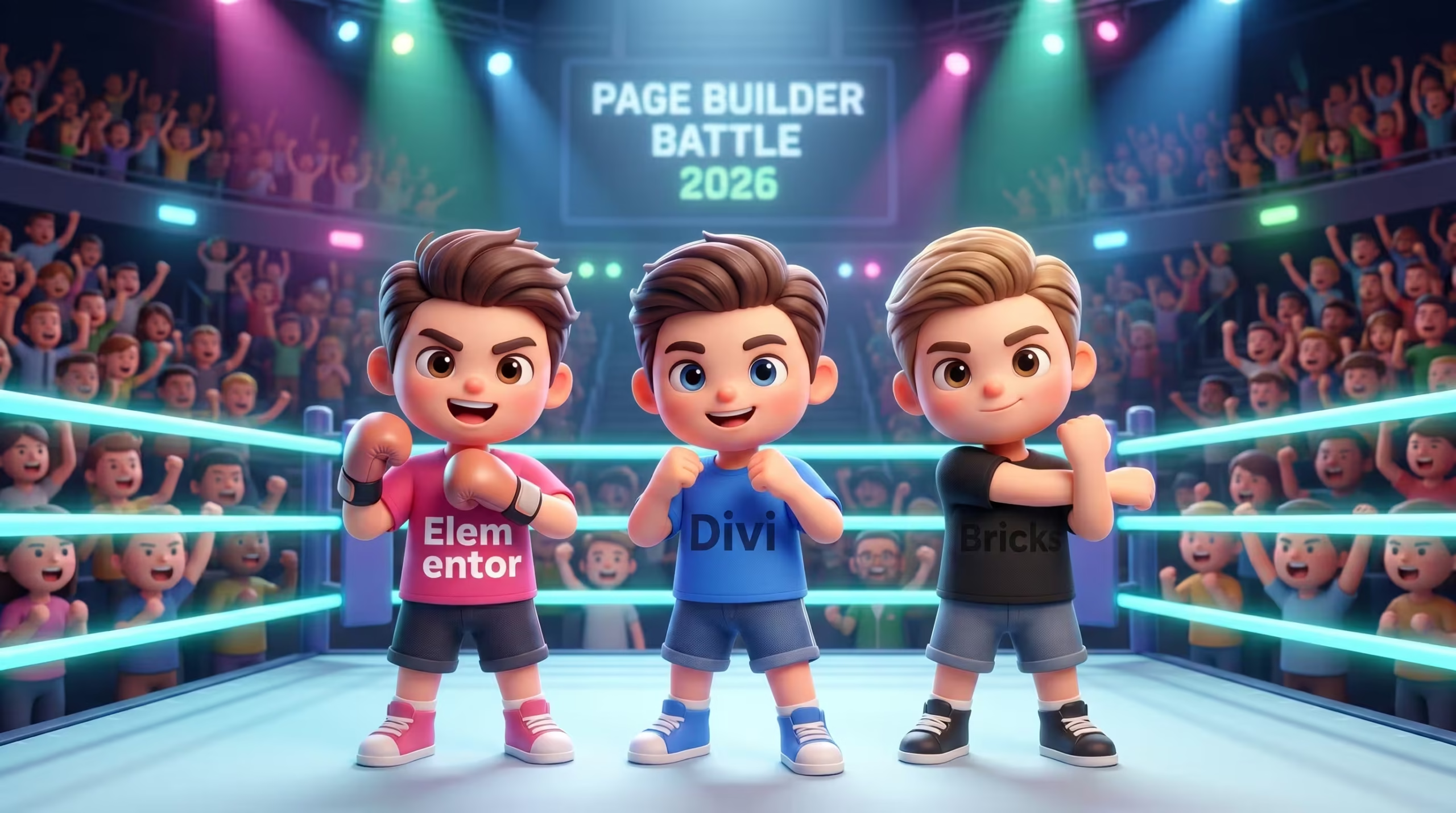
The era of building WordPress websites with heavy shortcodes and messy code outputs is dead. In 2026, the battle for the best WordPress page builder is no longer about which tool has the most drag-and-drop widgets. It is a strict competition between massive enterprise ecosystems and pure, raw HTML performance.
Many digital agencies and enterprise executives make the critical mistake of choosing a platform based purely on marketing hype. This leads directly to bloated DOM structures, failing LCP (Largest Contentful Paint) and CLS (Cumulative Layout Shift) scores, and eventually, a highly expensive platform migration. Your business needs a builder that scales without destroying your SEO footprint. This technical audit dissects Elementor, Divi, and Bricks Builder objectively against 2026 enterprise performance standards to help you make the right architectural investment.
The Evolution of WordPress Page Builders: Why Performance is the New Standard
WordPress page builders have evolved from simple visual design tools into complex engineering frameworks where strict adherence to Google Core Web Vitals and clean semantic HTML5 mapping is the mandatory baseline for SEO visibility in 2026.
A decade ago, the primary goal of a page builder was to bypass writing code. Tools relied heavily on nested shortcodes and injected thousands of lines of redundant CSS into every page load just to render a simple text box. That approach is now obsolete. Google’s search algorithms no longer tolerate dirty HTML or bloated DOM sizes. According to data from Google Search Central, web properties that successfully pass Core Web Vitals experience a 24% drop in page abandonment rates. For a real estate brokerage or a B2B SaaS company, that metric translates directly into retained revenue.
When you evaluate a page builder today, you are actually evaluating a code compiler. The visual interface is just a skin. What matters to your server and to Google is the output: the HTML markup, the CSS footprint, and the JavaScript execution time. When your marketing team drags a hero section onto the canvas, the builder must map that visual block to native CSS Flexbox or CSS Grid natively. If the builder wraps that single hero section in ten layers of empty <div> tags, your DOM size expands exponentially. A massive DOM forces the browser to consume more memory, blocks the main thread, and destroys your INP (Interaction to Next Paint) scores.
For high-traffic environments managing dynamic data feeds, such as real estate sites running RESO Web API integrations, performance is non-negotiable. A heavy page builder will choke the server before the property listing data even begins to load. This paradigm shift means that convenience can no longer supersede code quality. You need an architecture that allows rapid visual iteration for your marketing team while maintaining the sterile, lightweight code structure of a custom-coded React application.
This new standard dictates how we must evaluate Elementor, Divi, and Bricks Builder. We cannot rely on superficial feature lists. We must look at how each system compiles data, manages dynamic queries, and handles third-party dependencies.
Maximum recommended DOM size is 800 elements. High-tier page builders must map layouts strictly using CSS Grid to keep hero sections under 50 DOM nodes.
Target limit: 2.5 seconds. Achieving this requires zero render-blocking CSS in the upper fold and sub-200ms server response times (TTFB).
Target limit: 200 milliseconds. The builder must output modular JavaScript to prevent main thread blocking during user interactions.
Elementor: The Industry Giant (Pros, Cons, and Reality)
Elementor remains the dominant WordPress page builder in 2026 because it offers the largest enterprise ecosystem and fastest API integration capabilities for B2B environments, despite requiring strict architectural governance to maintain optimal loading speeds.
When analyzing builder platforms, it is critical to separate the tool’s raw capability from how it is utilized by the average user. Elementor powers over 14 million websites globally, but this massive adoption rate creates a skewed perception of its performance capabilities. Because the barrier to entry is so low, thousands of sites are built with poor structural foundations, leading to the misconception that the software itself is inherently slow. In a professional staging environment configured for enterprise scalability, the data tells a completely different story.
Ecosystem, Third-Party Add-ons, and Scalability
Elementor’s scalability relies on its unmatched third-party ecosystem, providing native API bridges to nearly every major CRM, payment gateway, and dynamic data tool required by modern B2B websites.
If you are a CTO for a large real estate brokerage or an agency scaling white-label services, you are not just building static pages. You are constructing complex data pipelines. You need a platform that natively speaks to custom post types, custom taxonomies, and dynamic meta fields. Elementor leads the industry here. Through its extensive Elementor Developers Resource, developers can hook into the editor to create custom widgets tailored to specific business logic.
The builder integrates flawlessly with high-level dynamic frameworks like JetEngine and Advanced Custom Fields (ACF). If a B2B portal requires a complex user dashboard querying a REST API, Elementor provides the visual framework to map that data instantly. The ecosystem is a massive financial advantage. Instead of spending 100 development hours building a custom React component for a multi-step conditional form, your team can leverage enterprise-grade Elementor add-ons that already have dedicated security and performance maintenance teams behind them.
The “Bloat” Myth and How the Right Architecture Solves It
The perception that Elementor causes slow website performance is a myth driven by amateur implementations; when configured correctly using native HTML5 tags and CSS Grid containers, Elementor consistently achieves 90+ Lighthouse scores.
The root cause of “Elementor bloat” is almost never the core plugin. The performance degradation happens when inexperienced users install ten different third-party add-on packs to access a specific slider or animation widget. Each of these poorly coded third-party plugins injects massive global CSS and JavaScript files across the entire website, blocking the main thread and destroying the LCP metric. Furthermore, older Elementor sites built using the legacy Section/Column structure generated nested <div> wrappers that inflated the DOM size unnecessarily.
In modern WordPress development, we utilize Elementor’s CSS Grid and Flexbox Container features to keep the DOM tree incredibly shallow. To unlock its true enterprise potential and maintain a 90+ Lighthouse score, you don’t need a different tool; you need an Elementor Expert who understands native HTML/CSS semantic mapping within the builder. By assigning proper HTML5 tags (<header>, <article>, <section>) directly within the Elementor UI and disabling unused core widgets, the output becomes remarkably clean.
Regarding the platform’s ongoing efforts to ship lighter, atomic CSS outputs and improved asset loading algorithms, I have written about this in more detail in the article Elementor 4.0 Atomic Editor: An Enterprise Analysis.
Amateur: Uses nested Sections/Columns resulting in 12+ <div> layers.
Enterprise: Uses native CSS Grid Containers resulting in 2-3 minimal DOM nodes.
Amateur: Loads all global CSS/JS on every page.
Enterprise: Enables “Improved Asset/CSS Loading” for conditional delivery.
Divi: The All-in-One Design System
Divi functions as a comprehensive WordPress design system combining a theme and a page builder into a single package, tailored primarily for solo freelancers and small agencies that prioritize built-in marketing features over raw code efficiency.
While Elementor relies on a vast network of third-party developers, Elegant Themes built Divi to be a closed, self-sufficient ecosystem. This approach offers distinct advantages for specific business models, particularly those operating with limited technical resources who need to deploy landing pages rapidly without managing multiple software licenses. However, evaluating Divi at the enterprise level requires a hard look at how it renders its visual components in the browser.
Visual Appeal vs. Code Efficiency
Divi sacrifices pure code efficiency to provide an extensive library of pre-built visual modules and built-in A/B testing tools that significantly reduce the need for third-party marketing plugins.
The core value proposition of Divi is convenience. Out of the box, it includes tools like Divi Leads (split testing), role editors, and hundreds of global design presets. For a small marketing team, the ability to test two different hero section designs without installing external tools like Google Optimize or specialized A/B testing plugins is highly valuable. You get everything under one roof.
The technical trade-off for this convenience is the weight of the output. To make the drag-and-drop experience as seamless as possible for non-technical users, Divi wraps its elements in multiple layers of markup. When you build a simple pricing table, Divi generates the visual layout by calculating and injecting inline styles and wrapper <div> tags. While this ensures the design looks identical across all devices without the user writing a single line of CSS, it inflates the DOM size. A larger DOM tree forces the browser to spend more time recalculating layouts during user interactions, which negatively impacts the Interaction to Next Paint (INP) metric.
The Shortcode Legacy and Modern Divi Architecture Updates
Modern Divi architecture has actively addressed its historical shortcode bloat by transitioning to a modernized framework and introducing dynamic asset loading, though it still produces heavier markup compared to developer-centric tools like Bricks.
For years, Divi was notorious for “shortcode lock-in.” If a business decided to migrate away from Divi, deactivating the theme left the database littered with broken [et_pb_section] shortcodes, rendering the content unreadable. You can track the evolution of how they tackled this technical debt directly on the Elegant Themes Blog. In recent major updates leading up to 2026, Divi overhauled its core rendering engine. It moved away from relying solely on heavy shortcode parsing on the frontend, shifting towards a background processing model that generates much cleaner HTML.
They also implemented dynamic CSS and dynamic PHP logic. Instead of loading the entire Divi stylesheet on every page, the builder now scans the specific modules used on a page and only loads the CSS required for those elements. This drastically reduced the unused CSS warnings in Google PageSpeed Insights. Despite these massive architectural leaps, Divi remains a visual-first tool rather than a code-first tool. Its foundation still prioritizes visual safety nets over semantic purity.
Relied heavily on frontend shortcode parsing and monolithic stylesheets, risking high CLS and shortcode lock-in.
Utilizes dynamic asset loading to defer unused CSS/JS and background processing to reduce PHP execution time.
Bricks Builder: The Developer’s Darling
Bricks Builder is a developer-centric WordPress theme and site builder running on a Vue.js framework that generates ultra-lightweight, semantic HTML5 code to maximize Core Web Vitals performance.
While Elementor and Divi spent the last few years retrofitting their legacy codebases to meet modern performance standards, Bricks entered the market completely unburdened by technical debt. It was architected from day one to output code that rivals custom hand-coded HTML. For technical agencies and developers who prioritize absolute control over every pixel and DOM node, Bricks has rapidly become the gold standard for high-performance WordPress infrastructure.
Clean Code, Vue.js, and Maximum Performance
Bricks achieves maximum performance by rendering UI changes instantly via Vue.js reactivity in the editor and compiling the final output into minimal DOM structures with zero frontend JavaScript bloat.
When you build a page in Bricks, you are essentially writing raw CSS and HTML through a visual interface. The builder does not guess what wrappers you need. If you insert a container and apply CSS Grid, the output is exactly one HTML tag formatted with your exact CSS specifications. This 1:1 semantic mapping results in incredibly shallow DOM trees. Passing the 800-element limit recommended by Google PageSpeed Insights becomes effortless, even on highly complex enterprise landing pages.
The editor itself is noticeably faster than its competitors because it runs as a Vue.js application. Changes reflect instantly without server-side delays. Furthermore, Bricks acts as both the theme and the builder. This eliminates the common architectural conflict where a third-party theme loads its own assets alongside the page builder’s assets. Developers looking to master this platform can dive deep into the Bricks Builder Academy, which reads more like a software engineering manual than a typical WordPress tutorial site.
Functions natively without a blank framework theme, reducing server requests and preventing global CSS conflicts.
Backend UI compiles via Vue.js, providing instantaneous canvas updates without relying on heavy PHP callbacks.
The Steeper Learning Curve and Ecosystem Limitations
The primary limitation of Bricks Builder for B2B enterprises is its steep learning curve, requiring users to understand raw CSS principles, alongside a smaller third-party ecosystem compared to industry giants.
Bricks does not hide complex CSS properties behind user-friendly toggles. If your marketing team does not understand the difference between align-items: center and justify-content: center in a Flexbox layout, they will break the page structure. This makes Bricks a risky choice if your business model relies on non-technical clients or junior marketing staff actively editing layout structures. It is a tool built by developers, for developers.
Additionally, because the platform is younger, its ecosystem of third-party integrations is smaller. If you need to connect your WordPress site to a highly specific enterprise CRM or a niche payment gateway, you might find a ready-made plugin for Elementor, but you will likely need to write custom PHP or REST API webhooks to achieve the same integration in Bricks.
Head-to-Head Technical Comparison: Core Web Vitals & DOM Output
A direct technical comparison of Elementor, Divi, and Bricks Builder reveals that Bricks generates the smallest DOM size and fastest JS execution out of the box, while Elementor and Divi require explicit optimization strategies to consistently pass Google Core Web Vitals at an enterprise scale.
To evaluate these platforms objectively, we must bypass marketing claims and look directly at the raw code output. The test environment involves building an identical, standard B2B hero section, consisting of a background image, an H1 headline, a subheadline paragraph, and two call-to-action buttons, across all three builders. We measure the results using a fresh WordPress installation with no caching plugins active.
DOM Size and Lighthouse Scores
Measuring DOM size via Google Chrome DevTools shows that Bricks Builder outputs roughly 45 DOM nodes for a standard hero layout, whereas Elementor utilizing CSS Grid averages 65 nodes, and Divi outputs approximately 110 nodes due to its visual safety wrappers.
The Total DOM Depth is a critical metric defined in the Lighthouse Documentation. Google flags pages that exceed 800 total elements because a massive DOM tree forces the browser to consume excessive memory, which spikes the Total Blocking Time (TBT). Here is the raw data output for our identical hero section test:
| Builder Platform | Total DOM Elements | CSS Payload (Frontend) | JS Execution Time |
| Bricks Builder | ~45 Nodes | 15 KB | 12 ms |
| Elementor (Grid) | ~65 Nodes | 35 KB | 45 ms |
| Divi (Modern) | ~110 Nodes | 60 KB | 85 ms |
Every HTML node requires RAM allocation. Pages exceeding 1,500 DOM elements throttle mobile browser rendering.
A smaller DOM tree means exponentially faster CSS rendering and lower Interaction to Next Paint (INP) latency.
Bricks wins the raw performance test effortlessly. Because it maps the UI 1:1 with HTML tags, there is zero waste. Elementor performs exceptionally well provided the developer strictly uses the new Container/Grid architecture rather than the legacy sections. If you want to dive deeper into specifically collapsing these HTML wrappers in Elementor, I have written about this in more detail in the article Elementor DOM Reduction: Enterprise Core Web Vitals. Divi, despite its modern asset loading updates, still relies on deeper <div> nesting to maintain its visual drag-and-drop stability, resulting in heavier rendering times.
Database Impact and Query Load
Analyzing backend performance using the Query Monitor plugin indicates that heavy builder database queries significantly impact Server Response Time (TTFB) before any frontend visual caching is applied.
The HTML output is only half the performance equation. Before the browser can even start downloading the CSS and JavaScript, your server must execute PHP and query the MySQL database to reconstruct the page builder layout. When analyzing the database load with Query Monitor, the differences in architecture become glaringly obvious.
Bricks saves its layout data in a highly streamlined format within the wp_postmeta table. The PHP execution required to decode this array into HTML is incredibly fast, resulting in a naturally low TTFB even on budget servers.
Elementor and Divi carry much larger data payloads. Elementor stores complex JSON arrays for every widget, styling rule, and dynamic tag. When a page loads dynamically (such as a WooCommerce checkout or a B2B search portal where you cannot rely on static HTML caching), the database must process hundreds of queries just to assemble the UI. This heavy query load is the exact reason why scaling these industry giants requires a specific server infrastructure strategy, which we will address shortly.
Design Systems and Workflow Efficiency in 2026
Modern workflow efficiency in 2026 relies on integrating utility-class frameworks to centralize CSS variables, ensuring enterprise websites maintain strict design consistency across massive page deployments.
As agencies scale and manage sites with hundreds of pages, relying on a page builder’s native styling interface for every single element becomes a massive liability. If a junior developer manually types “16px” for paragraph text and “32px” for section padding on fifty different pages, updating that design standard later requires opening and editing fifty different editor instances. This manual workflow is the antithesis of enterprise scalability and directly causes codebase fragmentation. To survive in high-volume production environments, the builder must be controlled by a centralized, programmatic design system.
Implementing Global Standards with Core Framework and ACSS
Standardizing typography, spacing, and color palettes using external utility engines like Automatic CSS (ACSS) or Core Framework guarantees scalable architecture and mathematical consistency within Elementor and Bricks Builder.
To bridge the gap between precise Figma mockups and live WordPress environments, senior developers no longer use the builder’s default color pickers or typography sliders. Instead, they integrate external utility frameworks. Tools like Automatic CSS (ACSS) and Core Framework inject a robust system of fluid typography, responsive spacing, and CSS variables directly into the WordPress core.
Instead of hardcoding a padding value, the developer applies a utility class like pad-section-l or assigns a CSS variable like var(--space-l) within the builder. This approach transforms Bricks and Elementor from simple visual editors into strict design compilers. Bricks Builder natively excels with these external frameworks because its DOM structure is light enough to handle thousands of utility classes without performance degradation. Elementor also integrates well with these tools, overriding its native Global Site Settings to ensure absolute precision. If a corporate rebrand occurs, the CTO only needs to update the core variables in one central dashboard, and the entire website repaints instantly without anyone touching a single page builder canvas.
Server Infrastructure Requirements for Enterprise Builders
High-traffic WordPress page builders require specialized server architecture utilizing object caching and edge networks to process complex dynamic queries without crashing.
A critical mistake made by many agencies is attempting to run an enterprise-grade Elementor or Divi site on standard shared hosting. You cannot evaluate a page builder’s performance if your server’s Time to First Byte (TTFB) is already throttling the request before the builder’s code even executes. Visual builders, by their nature, require more database interactions to compile page layouts than a static HTML site. When a user requests a page, the server must query the wp_postmeta and wp_options tables to assemble the typography settings, global colors, spacing configurations, and dynamic data tags. If you scale this to thousands of concurrent B2B users, a weak MySQL database will instantly lock up. Building a robust server stack is just as important as choosing the right visual framework.
Scaling with Redis Object Cache and WP Rocket
Integrating Redis Object Cache with WP Rocket ensures page builder database queries are stored in memory and frontend assets are optimized, drastically reducing server response times for enterprise sites.
To stabilize heavy page builder environments, senior developers implement a multi-layered caching strategy. The first layer is static HTML caching, handled by premium tools like WP Rocket. WP Rocket does not just cache the page; it actively manipulates the builder’s output. It executes critical functions like delaying the execution of third-party JavaScript (such as CRM tracking pixels) until user interaction, and generating critical path CSS. This prevents Elementor or Divi’s heavier asset payloads from blocking the browser’s main thread during the initial page load.
However, page caching is entirely bypassed when a user logs into a B2B portal or adds a product to a WooCommerce cart. This is where object caching becomes mandatory. By installing a Redis daemon on your server and connecting it via a Redis Object Cache drop-in, you intercept the heavy database queries generated by the page builder. Instead of forcing MySQL to recalculate the Elementor layout or Divi module settings for every dynamic request, Redis serves the pre-calculated query directly from the server’s RAM.
Finally, this internal server architecture must be distributed globally using an edge network like Cloudflare. By pushing the finalized, WP Rocket-optimized HTML output to Cloudflare’s edge nodes via Automatic Platform Optimization (APO), the page builder’s code is served to the user from their closest geographic city, completely bypassing your origin server for static requests.
Stores complex PHP/MySQL queries in RAM. Vital for dynamic states like logged-in users or WooCommerce carts.
Defers non-critical JS to protect INP and minifies the HTML output generated by the visual builder.
Caches finalized HTML globally so users download the builder’s payload locally via edge nodes.
Which Builder Should You Choose for Your Business?
Choosing the right WordPress page builder in 2026 depends entirely on your team’s technical expertise, your marketing budget, and the specific traffic demands of your B2B enterprise. There is no single superior tool. There is only the right architectural fit for your specific operational model.
Optimum for technical teams wanting zero bloat. Lowest DOM size, fastest raw execution.
Optimum for budget-conscious agencies needing built-in A/B testing and visual safety nets.
Optimum for CRM integrations and dynamic data. Requires expert architecture for maximum performance.
When to Choose Bricks Builder
You should choose Bricks Builder if your company employs an in-house development team and prioritizes absolute 100/100 Core Web Vitals scores above all else.
Bricks is a developer-first platform. If your team is comfortable writing raw CSS Grid tracks and understands semantic HTML mapping, this builder provides the leanest code output possible. It is the ideal choice for custom web applications, headless WordPress setups, and highly technical projects where server response time is the primary KPI. It is not recommended for traditional marketing teams who rely on visual presets and lack foundational frontend coding skills.
When to Choose Divi
You should choose Divi if you operate a smaller digital agency or an SMB that requires an all-in-one design system with built-in A/B testing on a limited budget.
Elegant Themes provides exceptional value by bundling the theme, the builder, and robust split-testing tools into one unified package. It allows small teams to launch and test landing pages rapidly without managing multiple third-party plugin licenses. Due to its heavier DOM footprint, it is less suitable for high-traffic dynamic portals or complex database-heavy B2B platforms. It shines brightest in low-complexity visual marketing deployments.
When to Choose Elementor (And Why It’s the B2B Standard)
You should choose Elementor if you are scaling a B2B enterprise that requires rapid marketing iteration, seamless CRM integrations, and complex dynamic data structures.
Elementor dominates the enterprise sector because it successfully bridges the gap between technical power and marketing accessibility. Your developers can construct advanced API bridges, setup RESO Web API feeds, and query custom post types safely in the background. Meanwhile, your marketing department can safely edit landing page copy and adjust layouts without touching a single line of code or breaking the CSS variables.
The vast ecosystem of third-party add-ons means you can deploy complex features like multi-step conditional forms or dynamic user dashboards in days rather than months. However, because of its power, implementing it for high-traffic sites requires professional architecture. Partnering with an Elementor Expert For Hire ensures you get the massive ecosystem benefits without sacrificing Google rankings.
Conclusion
The reality of 2026 enterprise WordPress development is that software alone does not guarantee performance. Bricks Builder offers the leanest native framework available, Divi provides an accessible toolkit for smaller teams, and Elementor delivers unparalleled integration scalability for complex B2B environments.
The determining factor in your website’s success is not the brand of the builder. The defining factor is the architectural strategy dictating its implementation. A poorly configured Bricks environment with unoptimized images will still fail Google Core Web Vitals. Conversely, a professionally architected Elementor site utilizing strict CSS Grid containers and Redis Object Cache will comfortably achieve a 90+ Lighthouse score and lightning-fast Interaction to Next Paint (INP) metrics. Tools only amplify the skill level of the operator.
Stop guessing if your current infrastructure is throttling your search engine visibility and user retention. If your server struggles under dynamic loads or your DOM size is actively hurting your LCP scores, it is time for a professional intervention. Let us audit your current page builder architecture together and deploy a data-driven optimization strategy that aligns with strict 2026 enterprise standards.
Evaluating raw HTML output via Chrome DevTools to identify render-blocking assets and unnecessary DOM nesting.
Using Query Monitor to analyze PHP execution time and pinpoint database bottlenecks.
Frequently Asked Questions (FAQ)
Which is faster out of the box: Bricks or Elementor?
Bricks Builder is significantly faster out of the box because its Vue.js framework maps visual elements directly to native HTML5 tags without generating legacy wrapper containers. A default Bricks hero layout produces approximately 45 DOM nodes and a 15 KB CSS payload. Elementor requires strict configuration using its modern Grid containers to approach those baseline numbers.
Can Elementor actually pass Google Core Web Vitals?
Yes, Elementor consistently passes Google Core Web Vitals when deployed by a developer who enforces strict semantic HTML mapping and implements global utility CSS frameworks. Achieving a 90+ score requires completely avoiding third-party addon packs, utilizing native CSS Grid, and optimizing the server environment with object caching to reduce the Time to First Byte (TTFB).
Is it hard to migrate from Divi to Elementor or Bricks?
Migrating away from Divi is a complex, manual process requiring a complete database rebuild due to its legacy proprietary shortcode architecture. You cannot simply switch themes and retain your layout. Developers must extract the raw text and media assets, then rebuild the entire semantic structure inside Elementor or Bricks to prevent severe formatting errors and shortcode leaks on the frontend.
Why should I hire a developer if page builders are drag-and-drop?
Hiring a developer ensures your visual interface outputs clean, search-engine-friendly code instead of generating nested HTML bloat that destroys your server performance. While visual builders allow non-technical staff to place a button on a canvas, only a professional understands how to connect that element to a dynamic REST API, map it mathematically to global CSS variables, and cache its database queries for high-traffic environments.

Initiate Secure Comms
Join elite B2B founders receiving my private WordPress architecture blueprints directly to their inbox. No spam, pure engineering.