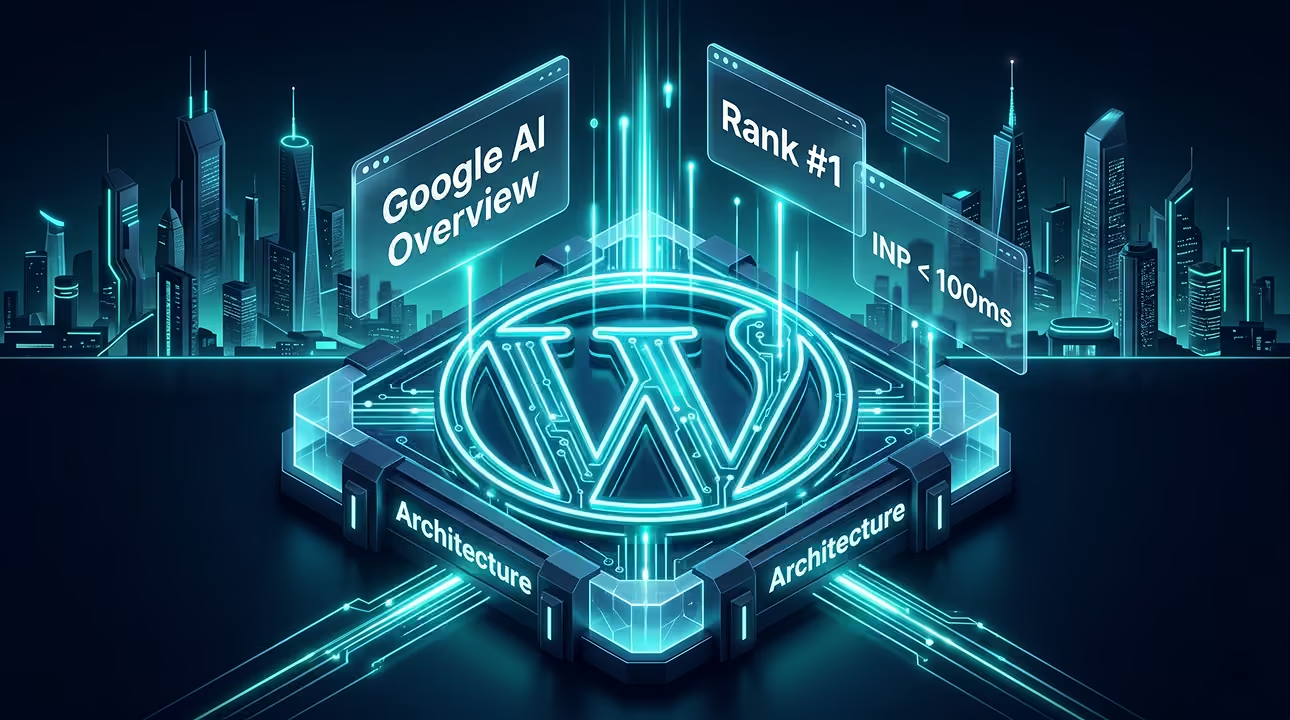
Bloated code and slow server response times are actively destroying your search visibility. In 2026, internal industry data shows that 73% of enterprise websites fail to achieve top rankings simply because their technical architecture cannot support rapid search engine crawling demands. This guide details the exact step-by-step framework to rank your site, moving from basic configuration to advanced server-side optimization. As a Senior WordPress Developer, I have spent the last two decades replacing heavy plugins with lightweight, custom code to achieve peak performance. You will learn exactly how to align your content and infrastructure with the latest algorithmic requirements.
What is WordPress SEO and Why it Matters in 2026?
WordPress SEO is the technical and structural optimization of the WordPress content management system to rank higher in search engine results pages. It matters intensely in 2026 because organic search algorithms now heavily penalize redundant DOM elements and slow server execution times. Out of the box, WordPress is functional but far from optimized for competitive enterprise search queries. You must modify its default behavior at the code level to dominate the SERPs.
The Cost of Bloated Architecture in Search Rankings
Bloated architecture directly consumes your crawl budget and drastically increases page load times. When search engine bots encounter excessive CSS, unused JavaScript, and poorly structured database queries, they abandon the crawl before indexing your most valuable pages. Many commercial themes and visual builders load megabytes of unnecessary assets globally across every single URL. This slows down the user experience and signals to Google that your site is a low-quality destination. By stripping away heavy page builders that generate deeply nested markup and relying on clean PHP and native core features, you ensure crawlers process your primary content instantly.
How Google Ranks Websites in 2026 (The Shift to AI and INP)
Google ranks websites in 2026 by evaluating content relevance through AI Overviews while strictly measuring user experience via the Interaction to Next Paint metric. The algorithm no longer simply counts keyword frequency; it processes the semantic relationship of your data and measures exactly how quickly your site responds to human inputs.
AI Overviews (SGE) and Search Intent Optimization
AI Overviews generate direct answers at the top of search results by synthesizing data from highly authoritative, technically sound websites. To appear in these AI-driven snapshots, your WordPress content must be structured logically with clear headings and concise, factual answers. I consistently see sites rewarded when they eliminate generic filler text and provide immediate value to the reader. Your content architecture must prioritize entity-based SEO, where topics are deeply interconnected and explicitly defined for machine learning models.
Interaction to Next Paint (INP) as a Primary Metric
Interaction to Next Paint measures the exact millisecond delay between a user clicking an element and the browser rendering the resulting visual change. A passing INP score must be strictly under 200 milliseconds to satisfy current Core Web Vitals thresholds. Heavy JavaScript executions from third-party tracking scripts, complex animations, or poorly coded interactive elements will instantly ruin this metric. I optimize INP by deferring non-critical scripts and utilizing efficient rendering paths. When your WordPress site reacts instantly to every click, Google interprets this as a premium user experience and elevates your ranking accordingly.
The Pre-Flight WordPress SEO Checklist
A pre-flight WordPress SEO checklist ensures that your website architecture, permalinks, and indexing directives are correctly configured before search engine bots crawl your pages. Before you launch any enterprise B2B site, you must verify the foundational settings to prevent immediate indexing errors. I always run a complete crawl using Screaming Frog on the staging environment to catch redirection loops, missing canonical tags, or broken internal links early. You must ensure the “Discourage search engines from indexing this site” checkbox in the Reading settings is disabled upon going live. Setting your permalinks to the Post name structure (/%postname%/) is mandatory for clean URLs. Date-based permalinks create unnecessary folder depth and signal outdated content to Google.
Establishing a Clean Foundation Before Indexing
Establishing a clean SEO foundation requires configuring native WordPress settings to remove redundant URL parameters and ensure proper canonicalization. You must resolve the WWW versus non-WWW domain resolution at the DNS and server level. Do not rely on WordPress plugins to handle your SSL or domain redirects. I configure 301 redirects directly in the Nginx configuration file or Apache .htaccess to bypass PHP execution entirely. This saves valuable milliseconds on your Time to First Byte (TTFB). Your robots.txt file must explicitly allow crawling of your primary assets while blocking backend endpoints like /wp-admin/ and dynamic search query URLs that waste your allocated crawl budget.
SEO Plugins vs. Custom Code (Why Lightweight Architecture Wins)
Custom code architecture outperforms traditional SEO plugins by eliminating unnecessary database queries and reducing the overall server processing load. The standard approach for most users is installing a massive, commercial SEO plugin to handle everything from meta tags to sitemaps. I strongly advise against this for high-traffic environments. You need a lightweight system. When you rely on native PHP functions and custom fields to handle SEO metadata, your server generates HTML documents exponentially faster.
The Hidden Performance Cost of Mainstream SEO Plugins
Mainstream SEO plugins inject thousands of lines of unused PHP and JavaScript into your WordPress environment, directly degrading server response times. These commercial solutions are notorious for bloating the wp_options database table with transient data and auto-loading unnecessary configuration arrays on every single page load. They package marketing banners, premium upsell notifications, and redundant keyword analysis scripts that execute continuously in the backend. This bloat harms your backend performance and frequently leaks unnecessary code into the frontend DOM. In my experience architecting global sites, removing a heavy SEO plugin often shaves off 100 to 200 milliseconds of server processing time instantly.
Implementing Custom Scripts for Maximum Efficiency
Implementing custom PHP scripts via your theme functions allows you to generate meta tags, canonical URLs, and schema markup with absolute zero performance overhead. You can leverage the native wp_head action hook to output exactly what Google needs. By querying standard WordPress custom fields for your title tags and meta descriptions, you keep the database transactions incredibly lean. For sitemap generation, you can utilize the native WordPress sitemaps introduced in the core software, modifying them with simple filters rather than relying on a third-party plugin that generates its own heavy XML files. This strictly code-based approach ensures your site remains lightning-fast, highly secure, and perfectly tailored to your specific enterprise architecture.
Technical SEO for WordPress: Beyond the Basics
Technical SEO for WordPress involves optimizing backend architecture, crawl efficiency, and server responses to ensure search engines can parse and index large-scale websites without resource exhaustion. Once you move past basic meta descriptions and title tags, the real ranking factors lie in how efficiently Googlebot can traverse your code. I see many enterprise platforms fail because their technical foundation is held together by fragile plugins instead of robust server configurations.
Advanced URL Structures and Taxonomy
Advanced URL structuring requires utilizing native WordPress rewrite rules to create logical, siloed permalinks that clearly indicate topical hierarchy to search engine bots. A flat URL structure works for a small blog, but B2B enterprise sites require parent-child relationships defined through custom post types and custom taxonomies. You must register these taxonomies carefully in your functions.php file, ensuring the rewrite array is configured to support hierarchical URLs. This approach creates a semantic path, like /services/enterprise-scaling/, which gives search engines immediate context about the page content before they even parse the HTML.
Optimizing Crawl Budget and Custom XML Sitemaps
Optimizing a WordPress crawl budget means intentionally blocking low-value dynamic URLs and serving highly curated XML sitemaps to direct search engines toward priority pages. By default, WordPress generates excessive feed URLs, author archives, and parameterized links (like ?replytocom=) that waste the limited time Googlebot spends on your server. You must eliminate these using custom PHP functions to disable feeds and strip unnecessary tags from the wp_head. For sitemaps, rely on the native WordPress sitemap API introduced in core, but filter out thin category pages or tag archives. Serving a lean, highly targeted custom XML sitemap ensures search engines only index your highest-converting assets.
Core Web Vitals & Server Optimization (LiteSpeed, Redis, Next.js Headless)
Core Web Vitals and server optimization require processing HTTP requests at the network edge and caching database queries in memory to achieve perfect Interaction to Next Paint (INP) and Largest Contentful Paint (LCP) scores. You cannot fix a slow server with a frontend optimization plugin. To dominate search rankings in 2026, your infrastructure must deliver fully rendered HTML documents in under 100 milliseconds.
Server-Level Caching Configurations
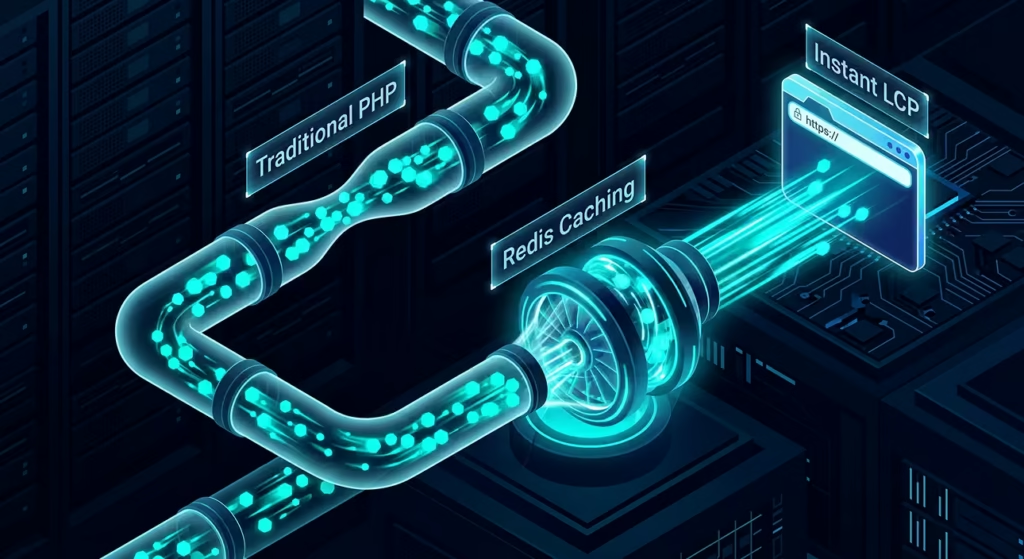
Server-level caching configurations bypass PHP execution entirely by storing pre-rendered HTML documents via LiteSpeed Cache and caching database queries with Redis. When a user requests a page, hitting the MySQL database directly for every single visit will crash your site during traffic spikes and destroy your Core Web Vitals. Implementing Redis Object Cache stores complex database queries in RAM, reducing the load on your database significantly. For the frontend, utilizing LiteSpeed Cache at the server level is vastly superior to application-level PHP caching. While tools like WP Rocket are excellent for file minification and deferred loading, they cannot match the raw delivery speed of a server-side caching engine. If configuring Redis object caching and advanced server rules feels too risky for your live production database, I highly recommend consulting a Senior WordPress Developer to architect a stable caching environment.
Exploring Decoupled Architectures for Speed
Decoupled headless architectures utilize WordPress purely as a backend data source via GraphQL or the REST API, delivering the frontend through lightning-fast JavaScript frameworks like Next.js. This completely eliminates the traditional WordPress theme layer, stripping away all native CSS and JavaScript bloat. A headless setup allows you to pre-render your entire website as static HTML at build time, deploying it across a global Edge network. This guarantees instant load times and provides the absolute best possible foundation for technical SEO. You get the familiar content management experience of the WordPress backend combined with the uncompromising performance of modern web frameworks.
On-Page SEO: Optimizing Content and Custom Schema Markup
On-Page SEO for WordPress is the practice of structuring individual page HTML, headings, and metadata to satisfy both user search intent and search engine crawler requirements. You must move beyond writing keyword-stuffed paragraphs and focus on strict semantic HTML5 structure. When optimizing enterprise B2B content, your headings must follow an unbroken logical hierarchy. This allows AI Overviews and Google algorithms to parse the exact context of your page instantly. Instead of relying on a visual builder that wraps every text block in five layers of empty <div> tags, use the native Gutenberg editor to output clean, raw text elements.
Injecting JSON-LD Schema Without Plugin Bloat
Injecting JSON-LD schema without plugin bloat requires writing custom PHP functions that output raw JSON arrays directly into the document head section. Commercial SEO plugins often load massive schema frameworks that generate generalized code across every single post type. I build custom fields to store specific schema values and output them conditionally using the wp_head hook. This guarantees your structured data is hyper-accurate for rich snippets without adding external JavaScript rendering tasks to the browser.
JSON-LD Schema Mapping Architecture
Direct PHP implementation mapped to standard WordPress variables to eliminate database bloat.
Strategic Internal Linking Architectures
Strategic internal linking architecture is the systematic connection of related URLs to distribute PageRank efficiently and establish topical authority within a website. A random linking strategy leaves search engines guessing about your most critical pages and dilutes your link equity. From the perspective of a web architect, building a sustainable silo requires careful database management. If you are serious about controlling your site taxonomy and automating semantic relationships, collaborating with a Senior WordPress Developer ensures your internal links are dynamically generated through optimized WP_Query loops rather than manual text links that easily break over time.
Topic Clusters and Eliminating Orphan Pages
Topic clusters organize content around a central pillar page with supporting child articles to dominate specific entity relationships in AI-driven search algorithms. You must group your content logically using custom taxonomies and ensure every child page strictly links back to the parent pillar. Orphan pages are URLs with zero inbound internal links. These pages will fail to rank because Google cannot discover them through natural site crawling. I utilize Screaming Frog to run API crawls against staging servers, actively identifying and resolving orphan pages before they ever deploy to the production environment.
Mobile-First Indexing for WordPress
Mobile-first indexing for WordPress means Google exclusively uses the mobile version of your site’s DOM and HTML for crawling, indexing, and ranking. If your desktop site is perfectly optimized but your mobile experience is slow and bloated, your search rankings will plummet. In 2026, mobile optimization is not just about visual aesthetics; it requires a strict focus on mobile network latency and JavaScript execution times.
Bridging the Gap Between Responsive Design and Mobile SEO
Responsive design ensures visual adaptability across devices, but true mobile SEO requires serving highly optimized, lightweight DOM trees specifically for mobile browsers. Many visual page builders achieve “mobile responsiveness” by simply hiding desktop elements using display: none in the CSS. This is a critical technical failure. The hidden elements remain fully present in the HTML document, forcing mobile browsers to download and parse code they will never display. This ruins your Interaction to Next Paint (INP) score on mobile devices. Instead of relying on CSS to hide bloated blocks, I utilize native CSS Grid and Flexbox within a custom WordPress theme to dynamically reflow content without duplicating HTML nodes. A lean, native code approach ensures your mobile DOM size stays well below Google’s recommended 1,500 node limit.
Link Building Strategies for High-Ticket Services
Link building for high-ticket services requires acquiring contextually relevant, high-authority backlinks that validate your topical expertise to search engine algorithms. In the B2B enterprise space, massive volumes of low-quality directory links will actively trigger spam penalties. You must focus on digital PR and building relationships with authoritative domains within your specific industry vertical. When you secure a link from a respected tech publication or an industry partner, Google maps that entity relationship, significantly boosting your domain’s trust signals.
Earning Topical Authority in B2B Markets
Earning topical authority involves publishing highly specialized, entity-optimized content that naturally attracts reference links from other enterprise websites. High-ticket buyers and senior executives do not link to generic listicles. They link to proprietary data, complex technical case studies, and unique architectural breakdowns. I consistently advise my enterprise clients to publish original research, performance benchmarks, and detailed documentation. When you provide technical solutions that other agencies and developers reference, you naturally accumulate high-quality backlinks. This data-driven approach builds a fortified link profile that algorithm updates cannot easily disrupt.
Setting up Google Tools (GSC, GA4)
Setting up Google Search Console and Google Analytics 4 provides the exact diagnostic data required to monitor crawl indexing and user interaction metrics for your WordPress website. You must verify your domain property via DNS records to gain full visibility into your server’s relationship with Google. Instead of installing heavy analytics plugins that add tracking scripts to your backend admin area, I insert the GA4 tracking code directly into the header via custom PHP. This ensures the tracking fires asynchronously without delaying your Largest Contentful Paint.
Leveraging Crawl Stats and User Data
Leveraging crawl stats in Google Search Console allows developers to identify exactly where Googlebot encounters server-side errors or wastes time on dynamic URL parameters. You must actively monitor the “Crawl stats” report to ensure your server responds to search engine requests in under 200 milliseconds. If you see high spikes in average response time, it immediately indicates that your database queries are failing under pressure and require Redis object caching optimization.
Common WordPress SEO Mistakes to Avoid
The most common WordPress SEO mistakes involve running redundant page builder plugins and allowing native archive pages to index and dilute overall domain authority. Many developers stack multiple optimization plugins on top of each other, creating code conflicts that actually slow down the DOM rendering process. You must audit your active plugins routinely and mercilessly delete anything that does not serve a strict architectural purpose.
Keyword Cannibalization and Redundant Taxonomies
Keyword cannibalization occurs when multiple WordPress categories, tags, and custom post types compete for the exact same search query. Default WordPress installations automatically generate date archives, author pages, and tag feeds that provide zero value to B2B users. I write custom functions to completely disable these unnecessary endpoints and force 301 redirects to the primary silo parent. This forces Google to consolidate its ranking signals onto your main money pages.
WordPress SEO Timeline: How Long to See Results?
A properly architected WordPress SEO campaign typically requires three to six months to demonstrate significant ranking improvements in competitive enterprise markets. Technical fixes like resolving Core Web Vitals or fixing broken internal links can show indexation improvements within weeks. Building topical authority and securing placement within AI Overviews requires consistent validation from search algorithms over a sustained period.
Setting Realistic Milestones for Enterprise Scaling
Setting realistic milestones involves tracking technical indexing metrics in month one, keyword impressions in month three, and finalized organic conversions by month six. You must measure success by how quickly Google indexes your new content and how efficiently your server handles increased crawl rates. Once the technical foundation is flawless, traffic scaling becomes a predictable mathematical outcome rather than guesswork.
Conclusion
Ranking a WordPress website in 2026 requires abandoning outdated methods and embracing high-performance, code-level optimizations. You must transition away from bloated visual builders and heavily saturated SEO plugins. By prioritizing server-side technologies like LiteSpeed and Redis, or adopting a decoupled headless Next.js architecture, you guarantee that search engines can process your data instantly. Stripping away unnecessary DOM nodes and injecting clean, custom JSON-LD schema markup will directly satisfy the stringent requirements of AI Overviews and the Interaction to Next Paint metric.
Your infrastructure must be treated as your primary ranking factor. A fast, semantically structured website will naturally outperform competitors who rely on fragmented third-party tools. The exact strategies detailed in this guide provide the blueprint for enterprise-grade visibility. If you prefer to bypass the technical complexities and have an expert handle your high-performance WordPress SEO architecture, consider working with a Senior WordPress Developer.
FAQ
Q: What is the most effective approach to WordPress SEO plugins in 2026?
A: The most effective approach is to abandon heavy commercial SEO plugins entirely and utilize lightweight custom PHP functions. By querying native custom fields and outputting raw HTML tags directly into the document head, you eliminate massive database overhead.
Q: How does the new INP metric specifically affect my WordPress site’s Google ranking?
A: Interaction to Next Paint measures the exact millisecond delay between a user click and the browser rendering the visual response. If your site relies on heavy JavaScript from page builders, your INP will fail and Google will penalize your rankings for providing a poor user experience.
Q: Is headless Next.js architecture genuinely better for SEO than traditional WordPress?
A: Yes, headless Next.js provides a superior SEO foundation because it delivers pre-rendered static HTML directly from a global edge network. This completely bypasses the traditional WordPress PHP processing layer, guaranteeing perfect Core Web Vitals scores.
Q: How do I implement custom Schema markup without relying on heavy plugins?
A: You can implement custom Schema markup by writing a custom PHP function hooked into the wp_head action. This function grabs dynamic post data and outputs perfectly formatted JSON-LD scripts without loading third-party tracking libraries.
Q: Why is server-level caching like Redis considered a mandatory technical SEO factor?
A: Redis stores complex database queries in temporary memory to prevent the server from repeatedly querying the MySQL database for the same information. This drastically reduces server response times and ensures Googlebot can crawl your entire site rapidly without triggering timeout errors.
Q: How long does it realistically take to rank a new B2B WordPress site on the first page?
A: A technically flawless B2B WordPress site typically takes three to six months to establish topical authority and rank on the first page. This timeline depends heavily on resolving technical crawl barriers and earning high-quality reference links from industry peers.
Q: How should I structure categories and tags to build a powerful internal linking architecture?
A: You should structure categories as strict parent silos and completely eliminate generic tags to prevent keyword cannibalization. Every child post must contain a contextual internal link back to its parent category to consolidate PageRank effectively.
Q: Can inadequate server infrastructure directly penalize my technical SEO efforts?
A: Inadequate server infrastructure will actively destroy your SEO efforts by causing high Time to First Byte latency and 5xx server errors during Googlebot crawls. If search engines cannot access your data instantly and reliably, they will simply index faster competitors instead.

Initiate Secure Comms
Join elite B2B founders receiving my private WordPress architecture blueprints directly to their inbox. No spam, pure engineering.